✂️ For Craft Bloggers & Pattern Makers

Pinterest Automation for Craft Blogs
Tutorials Crafters Save

Crochet, sewing, Cricut, paper crafts, kids crafts — crafters plan every project on Pinterest. Turn each tutorial and pattern into cheerful pins and keep holiday crafts on boards before the season.

  • 🧶 Pins for Tutorials, Patterns & Free Printables
  • 🎃 Holiday Crafts Scheduled Weeks Early
  • 🖼️ Collage Pins Show Materials, Steps & Results
  • 🤖 AI Writes Titles by Craft, Skill & Occasion
  • ⚡ Hundreds of Tutorials Pinned in 1 Click
⚡ Hundreds of pages → pins in 1 click ✍️ AI Auto Blog + auto pins ♾️ Unlimited AI pin designs

Free to start · No credit card needed · Official Pinterest API

⚡

AI Auto-Creates Pin Images for Hundreds of Craft tutorials — in 1 Click

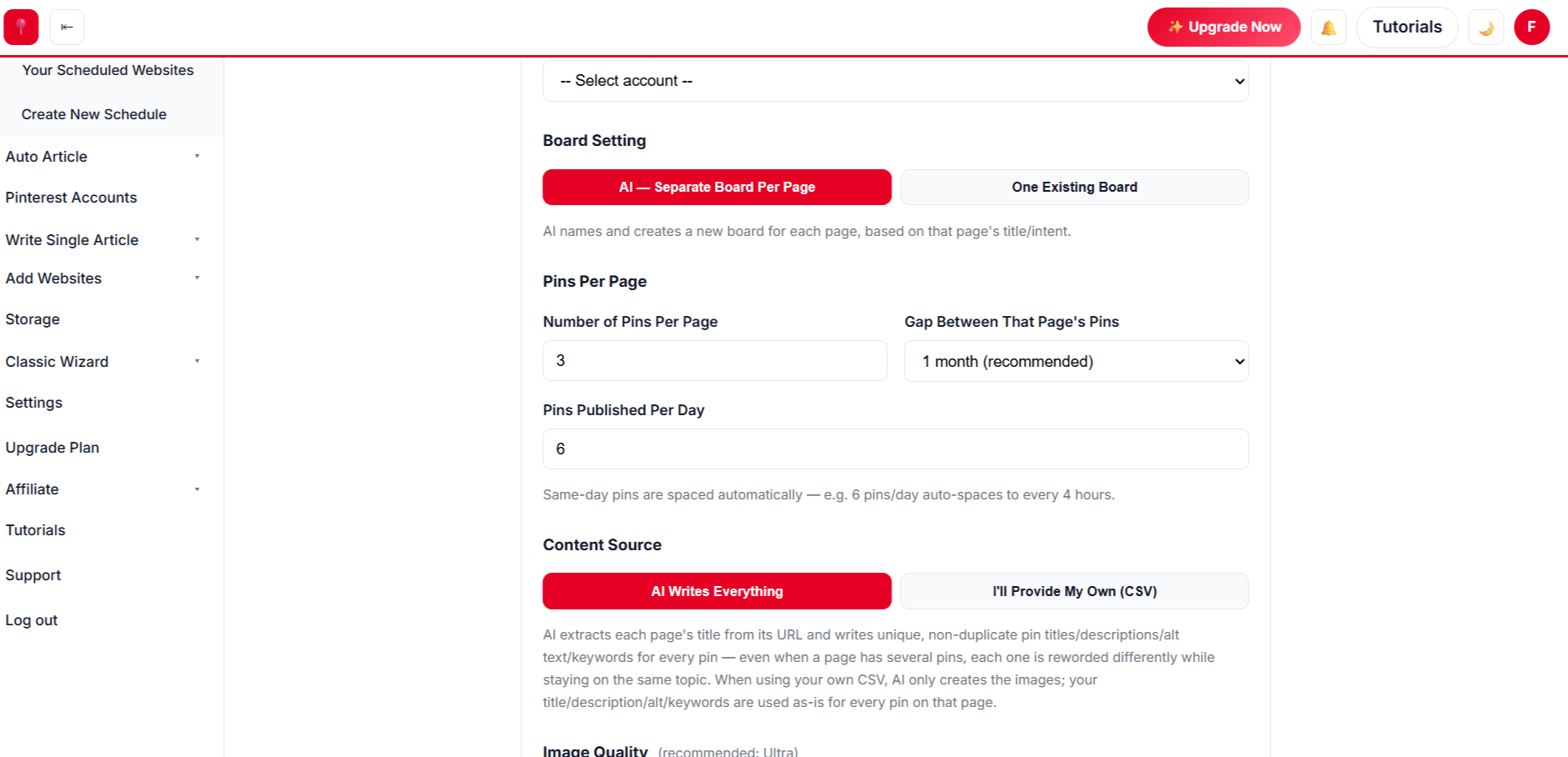
Select hundreds of craft tutorials at once. AI designs every pin from your own photos, writes the title, description, alt text and keywords, picks the board and schedules it all.

Create a free account →
✍️

AI Auto Blog: Create, Publish & Pin

Paste a list of titles. AI writes each article with images, publishes it to your site on a daily schedule, and schedules pins for every post automatically.

Sign up free to auto blog →
♾️

Unlimited AI Pin Designs

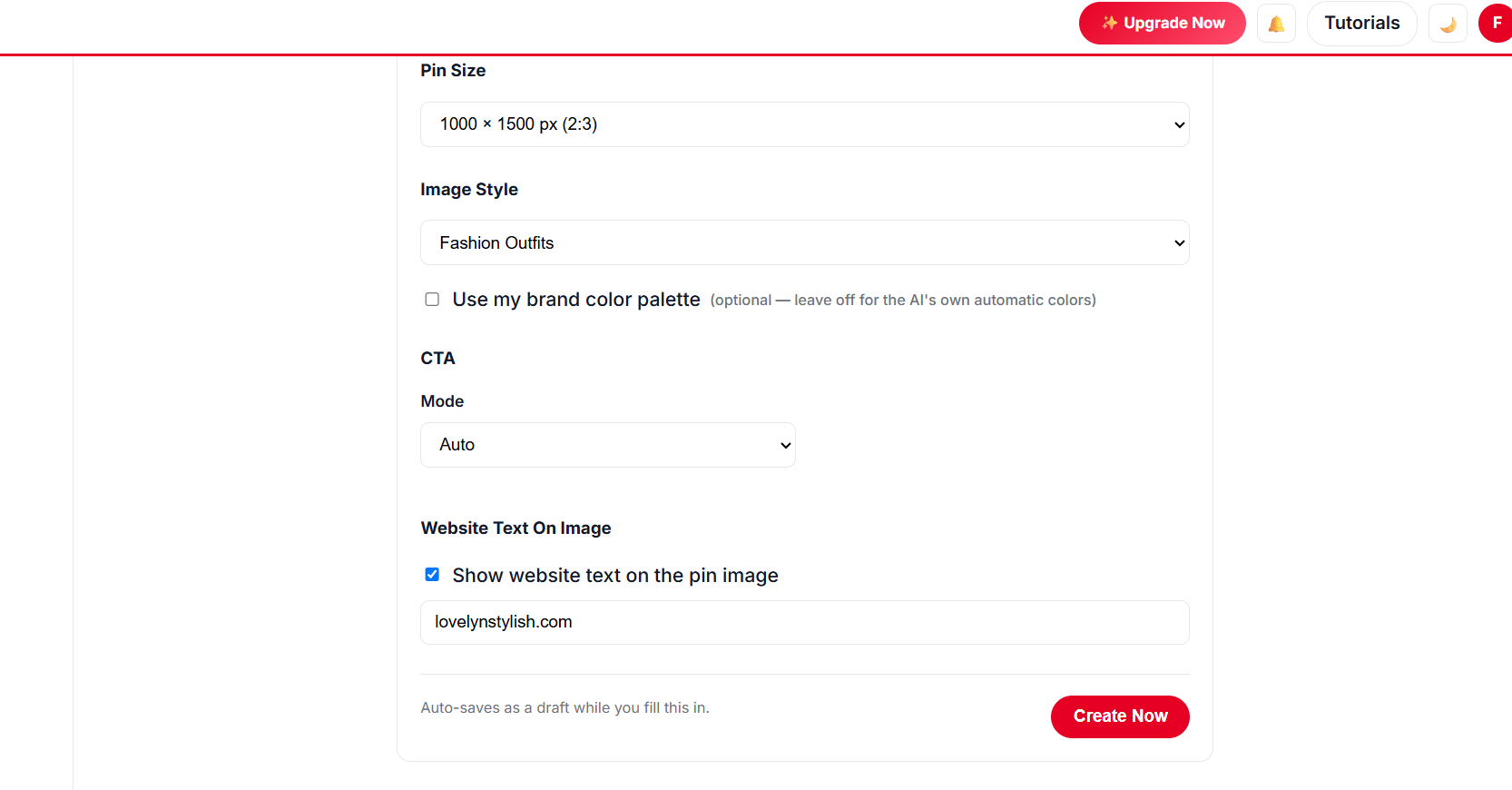
Unlimited templates, colour palettes and fonts, plus a free Canva-style design editor with every premium feature — AI picks the best look for every page, so no two pins look the same.

Get started free →
📈 Build real growth⏱️ Save hours every week🔁 Runs on autopilot✅ Official Pinterest API

Paste a Craft Tutorial Link

Get cheerful craft pins from your project photos.

3 free generations · Unlimited templates · No sign-up needed
Crochet patternsCricut projectsKids craftsPaper craftsSewing tutorialsChristmas craftsHalloween craftsFree printablesKnittingDollar store craftsCrochet patternsCricut projectsKids craftsPaper craftsSewing tutorialsChristmas craftsHalloween craftsFree printablesKnittingDollar store crafts
// MADE FOR CRAFTERS

Why Craft Bloggers Automate Pinterest

More time crafting, more crafters finding you.

🧶

Pattern & tutorial pins

Cheerful templates for patterns, tutorials and printables.

🖼️

Step collages

Materials, steps and the finished craft in one pin.

🎄

Holiday calendar

Halloween, Christmas and Easter crafts pinned ahead.

🔤

Crafter-friendly titles

AI writes by craft, skill level and occasion — “Easy Crochet Blanket for Beginners”.

🗂️

Craft boards

Crochet, kids crafts, Cricut — sorted automatically.

✍️

Auto Blog

AI writes tutorial posts with images and pins them.

Simple 4-Step Process

From Craft Tutorial to Saved Pin

Four steps, then back to your craft table.

✂️
Step 1 · Setup

Scan Your Craft Blog

  • ✓ Every tutorial and pattern listed.
  • ✓ Select by craft type or holiday.
🎨
Step 2 · Design

Pick Cheerful Designs

  • ✓ Bright palettes and playful fonts.
  • ✓ Collages for steps and results.
Choosing craft pin templates
🗓️
Step 3 · Schedule

Plan by Holiday

  • ✓ Start each holiday 6–8 weeks early.
  • ✓ Several pins per tutorial.
🧵
Step 4 · Approve

Approve and Keep Crafting

  • ✓ Edit, approve once.
  • ✓ Pins publish all season.
Approving craft pins
// NEW · AUTO BLOG + AUTO PIN

Create Hundreds of Blog Posts With Images, Publish Them and Schedule Pins — in 1 Click

Give AI a list of titles for crafts, patterns and tutorials. It writes every article with images, publishes to your website at the pace you choose, and schedules Pinterest pins for each post — all in the background.

Sign Up Free & Start Auto Blogging → Auto Blog is available on plans that include it — see pricing below.
// SEE THE RESULTS

See the Results: Every Holiday, More Crafters

Craft searches rise before every holiday and school break — and repeat each year. Pinned ahead, your tutorials catch every wave.

0x more traffic, up to
0+ premium pin templates
0 days of pins in one run
0% free design editor, no Canva Pro
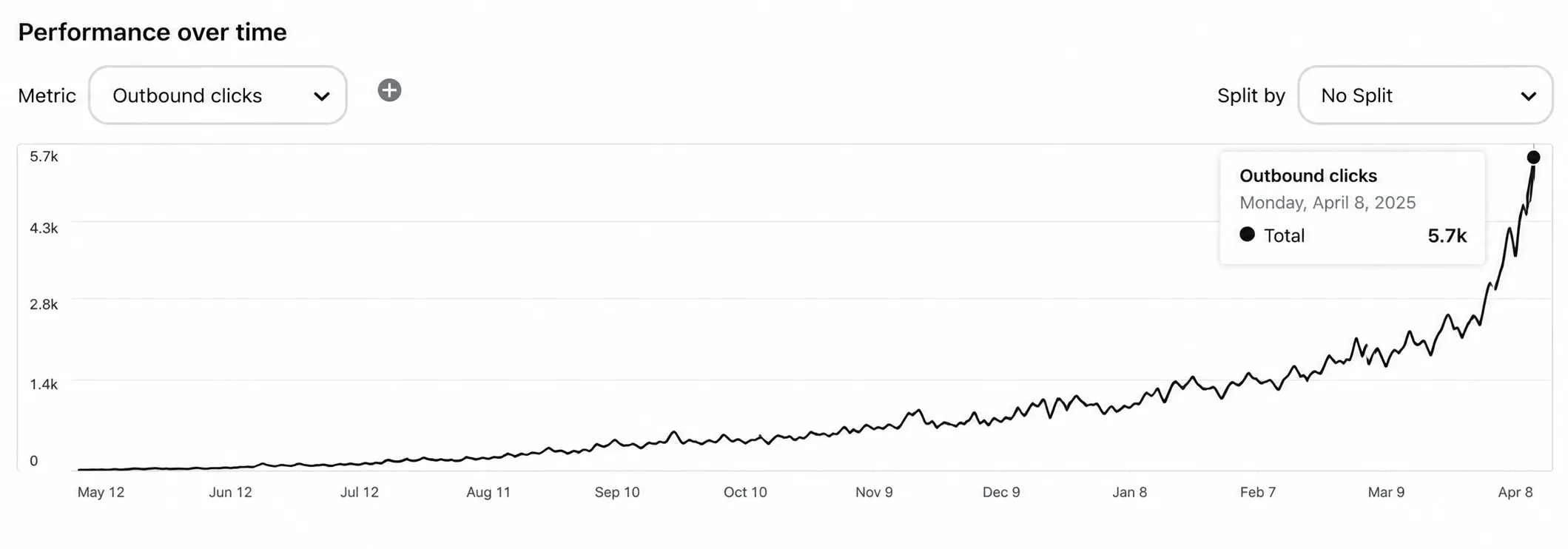
Pinterest traffic growth for a craft blog

Illustrative growth curve — actual results vary by niche, content volume and consistency.

Start Free →
// PINTEREST PLAYBOOK

Pinterest Tips for Craft Bloggers

What gets craft pins saved.

Put It on Autopilot →
  1. 1

    Show the finished craft big

    The result is what people save.

  2. 2

    Say the skill level

    “Beginner”, “easy”, “no-sew” help the right crafters find you.

  3. 3

    Pin holidays early

    Christmas craft searches start in October.

  4. 4

    Make kids-craft pins

    Parents and teachers save them by the dozen.

  5. 5

    Pin free patterns and printables

    Freebies are among the most-saved craft pins.

// MANUAL VS AUTOMATED

Manual vs Automated Craft Pins

TaskDoing it by handWith AutomatedPin
Pin design✕ One tutorial at a time✓ Hundreds in 1 click
Holiday timing✕ Last minute✓ Scheduled ahead
Titles✕ Hand-written✓ AI writes crafter-friendly copy
New tutorials✕ Written yourself✓ Auto Blog writes, publishes & pins
// DATA-DRIVEN GROWTH

See Which Crafts People Make

Plan new patterns around what gets saved.

Up to 5x more traffic
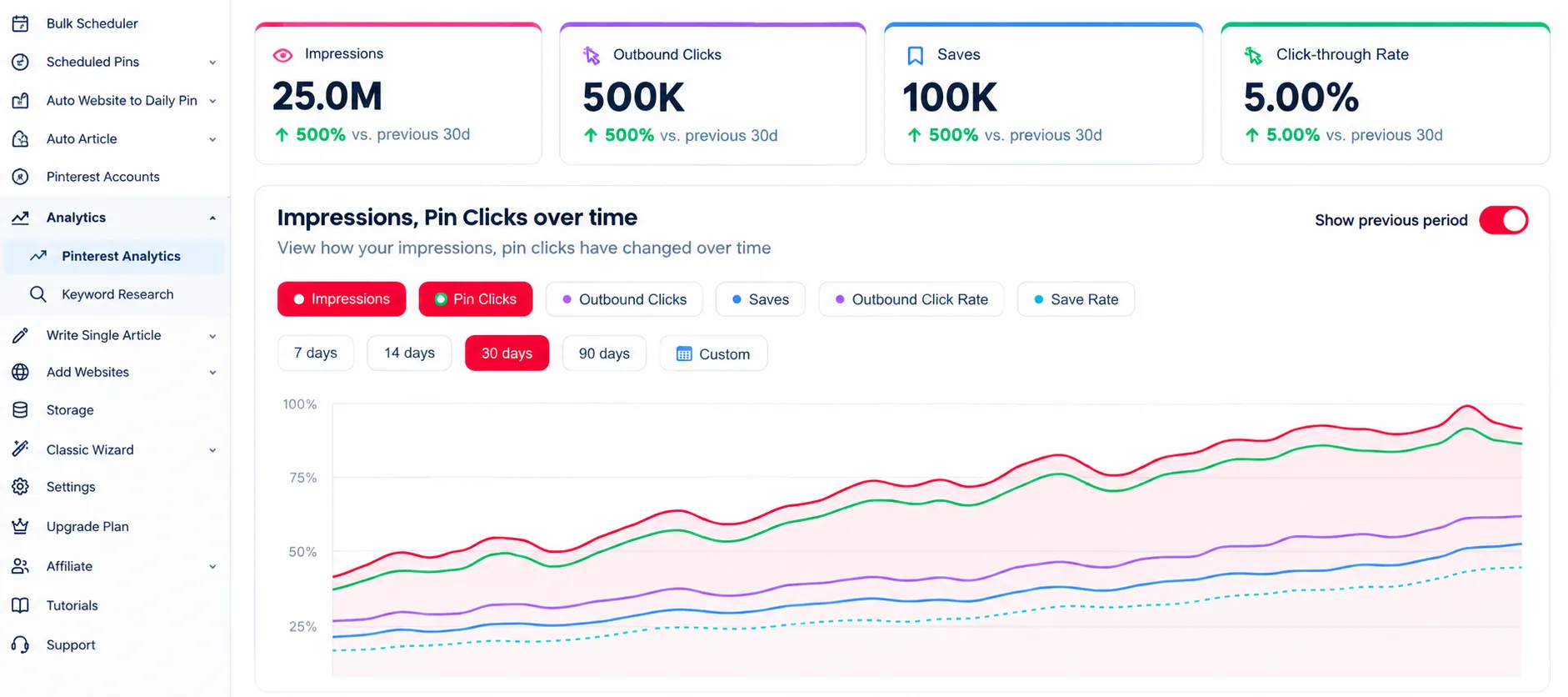
Pinterest analytics for a craft blog

Analytics

Track clicks for every craft pin.

47% higher engagement
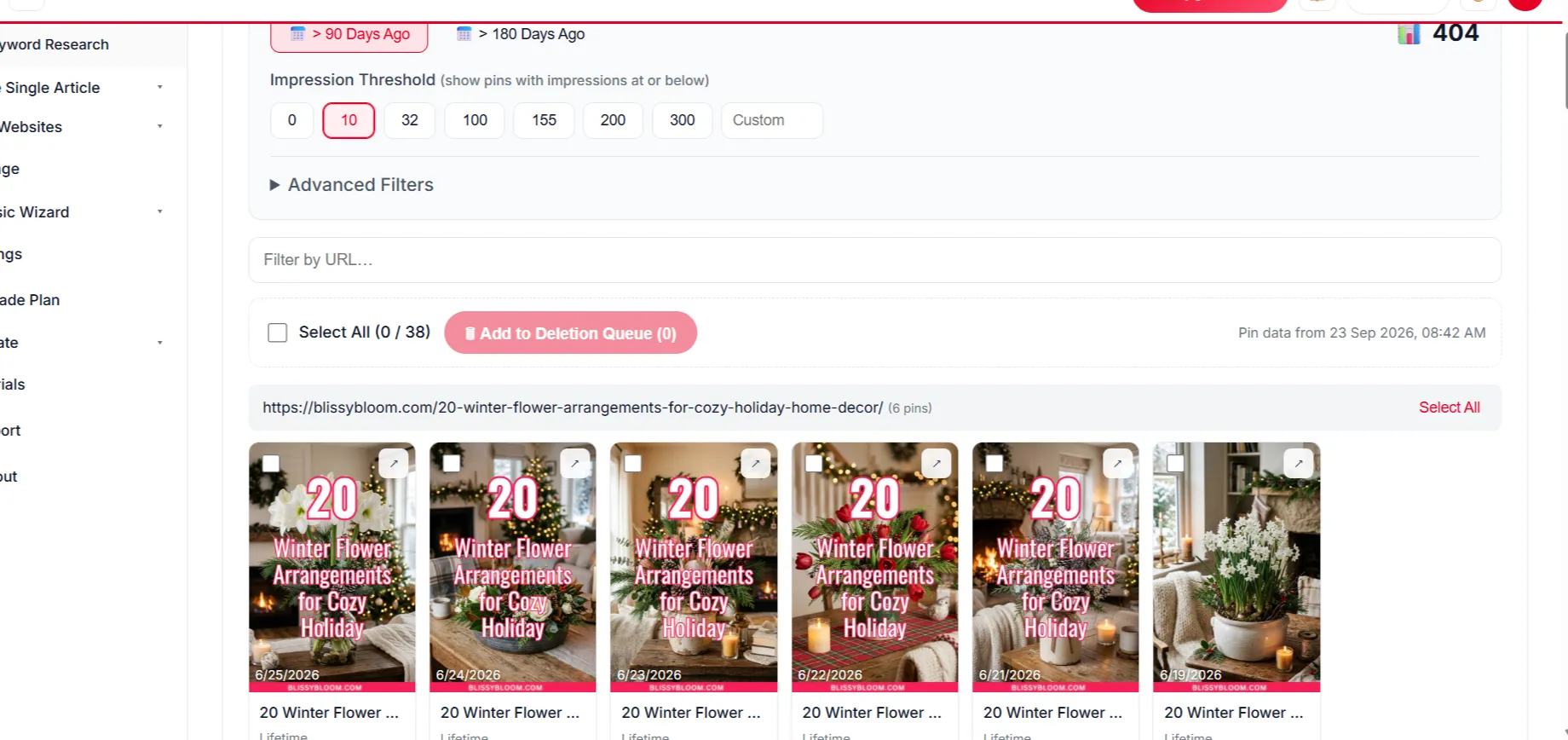
Removing weak craft pins

Delete Underperforming Pins

Remove weak pins to keep engagement strong.

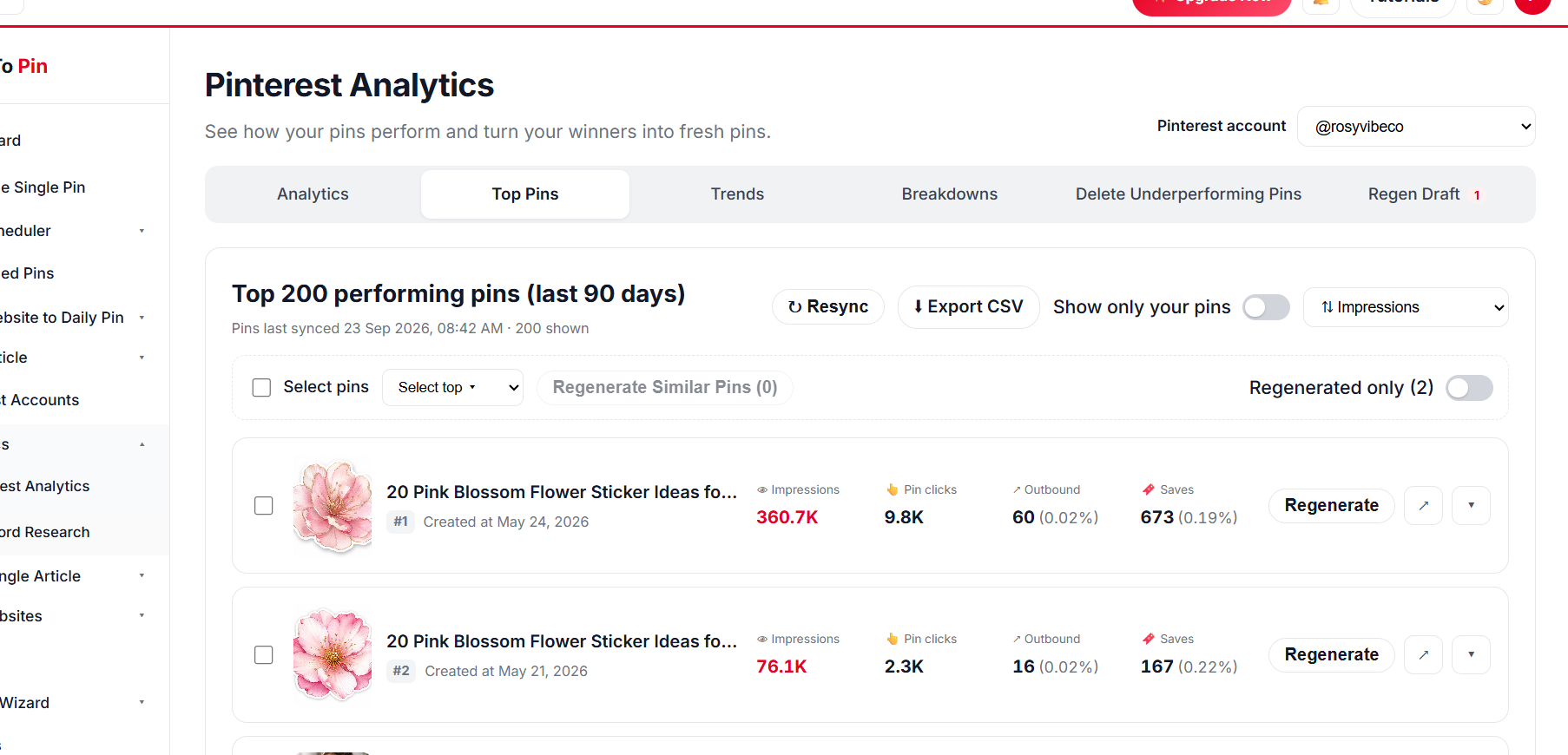
Top craft pins

Top Pin Performance

Your top tutorials at a glance.

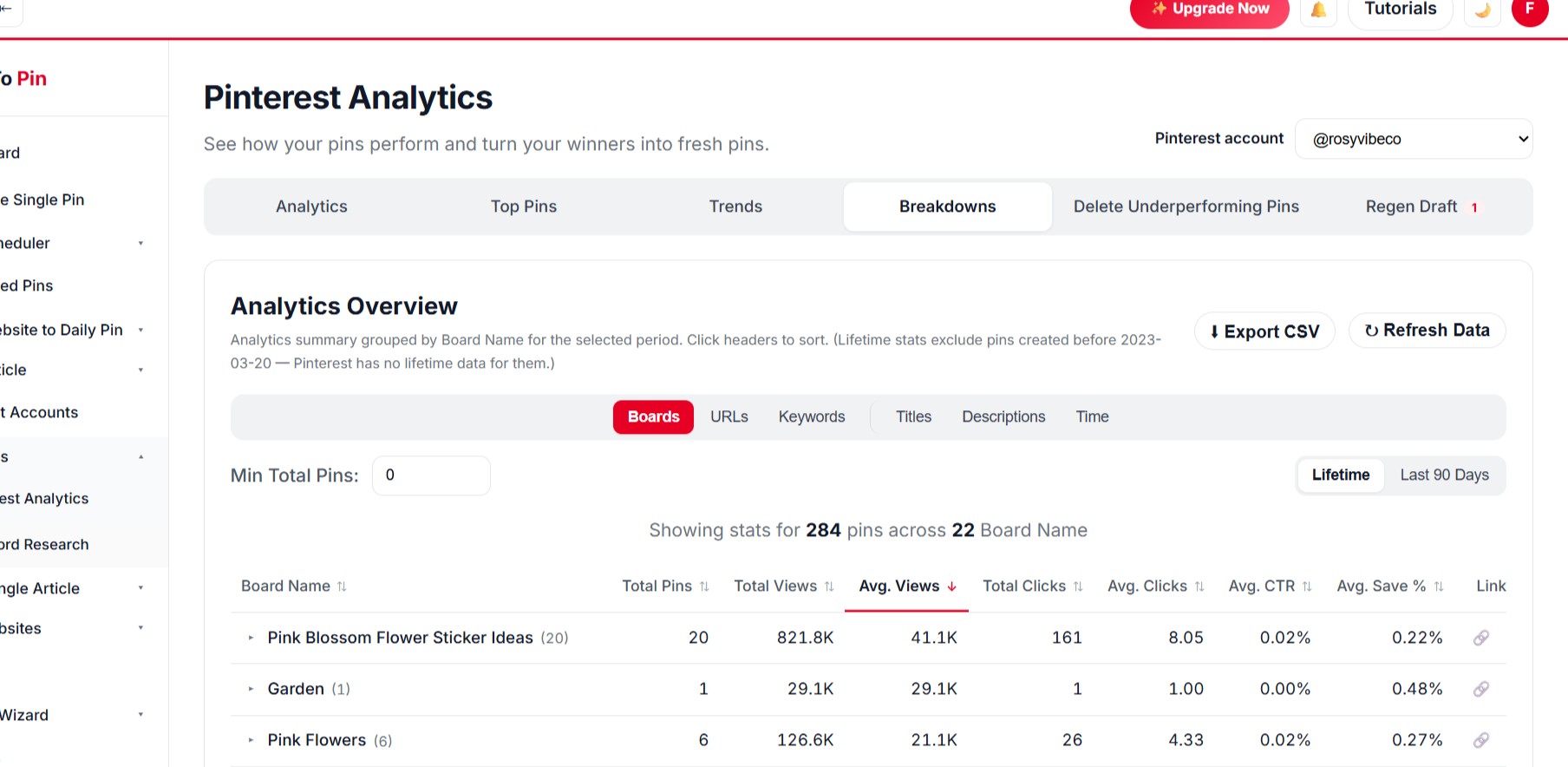
Craft pin analytics breakdown

Break It Down Any Way You Want

Compare by board, URL, keyword, title and time.

BoardsURLsKeywordsTitlesDescriptionsTime
// PRICING FOR CRAFT BLOGS

Start Pinning Your Craft Blogs Craft tutorials for Free

Create a free account and schedule your first craft tutorials — no card needed. Paid plans start at $39/month when you want more pins, Auto Blog and team seats.

What Our Users Say

Daniel Reyes
Daniel Reyes
Owner, Trail & Table
★★★★★
Connected my Pinterest account in under a minute and had pins scheduled for the whole month by lunchtime. Way less fiddly than anything else I've tried.
Priya Kapoor
Priya Kapoor
Founder, The Home Edit Co.
★★★★★
The AI pin designs actually look good out of the box. I barely touch the brand color setting and every pin already matches my site.
Marcus Webb
Marcus Webb
E-commerce Manager
★★★★☆
Took a little while to get Auto Blog set up the way we wanted for our product pages, but once it clicked it's been running untouched for two months straight.
Emily Carter
Emily Carter
Content Creator
★★★★★
Being able to hand my assistant a login through Team Management, without giving away my own account, was exactly what I needed.

Daniel Reyes
Daniel Reyes
Owner, Trail & Table
★★★★★
Connected my Pinterest account in under a minute and had pins scheduled for the whole month by lunchtime. Way less fiddly than anything else I've tried.
Priya Kapoor
Priya Kapoor
Founder, The Home Edit Co.
★★★★★
The AI pin designs actually look good out of the box. I barely touch the brand color setting and every pin already matches my site.
Marcus Webb
Marcus Webb
E-commerce Manager
★★★★☆
Took a little while to get Auto Blog set up the way we wanted for our product pages, but once it clicked it's been running untouched for two months straight.
Emily Carter
Emily Carter
Content Creator
★★★★★
Being able to hand my assistant a login through Team Management, without giving away my own account, was exactly what I needed.


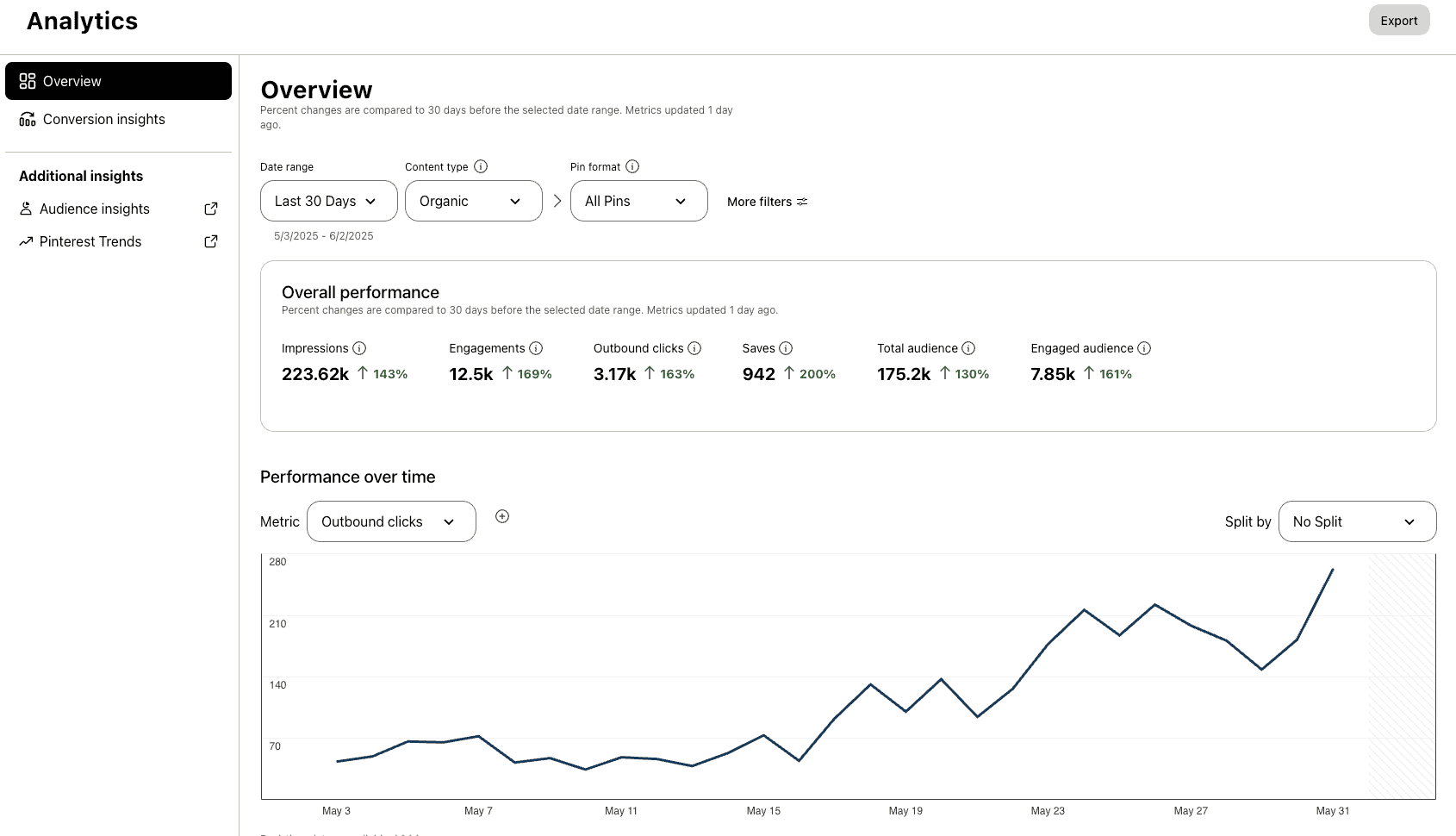
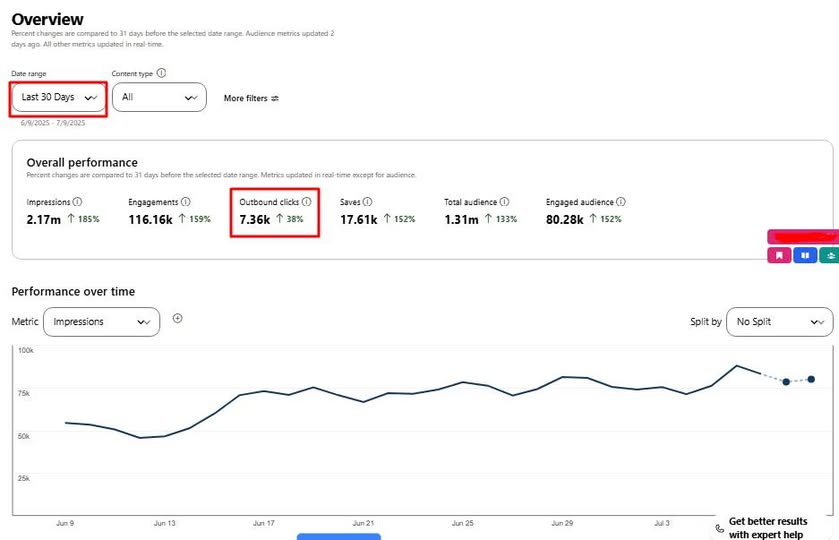
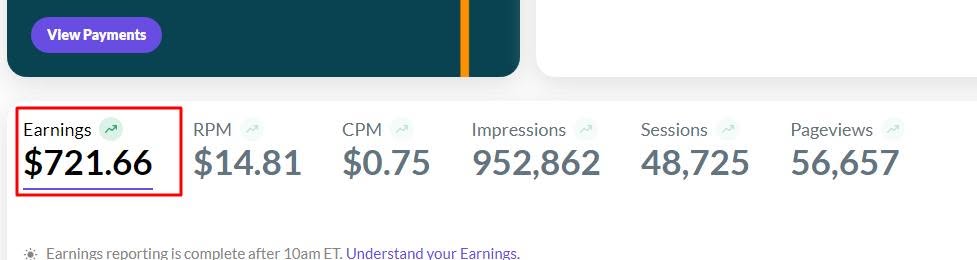
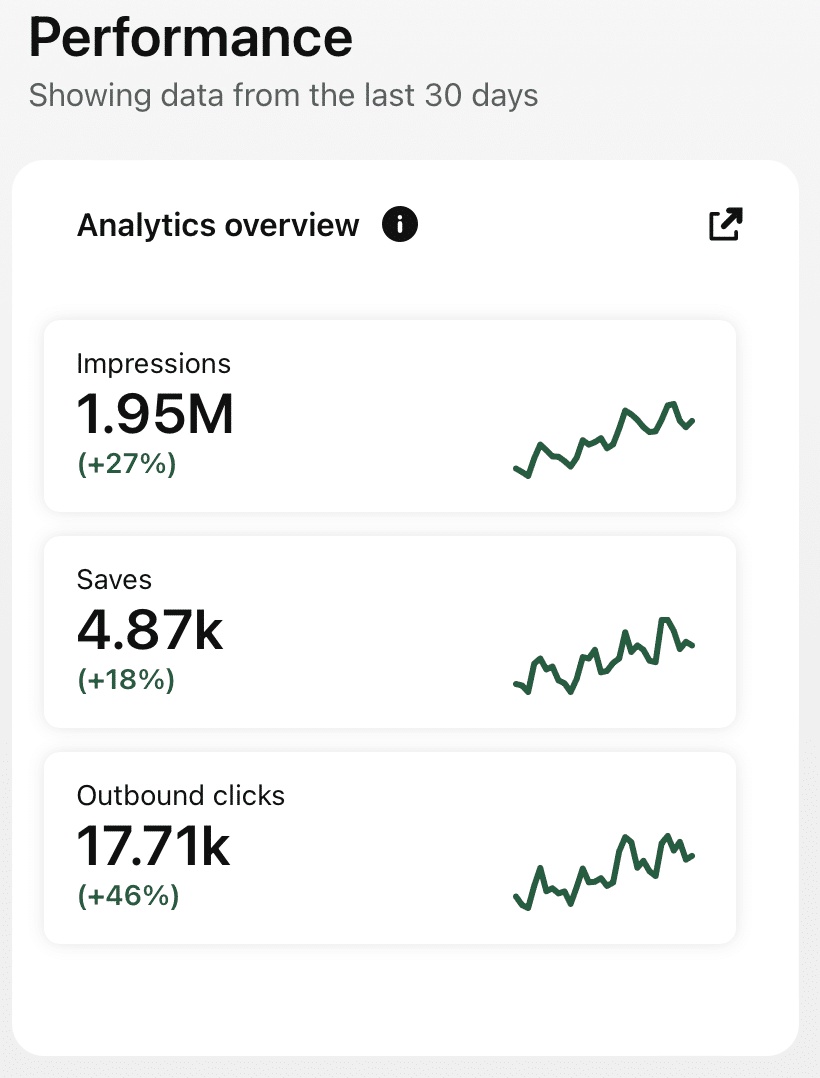
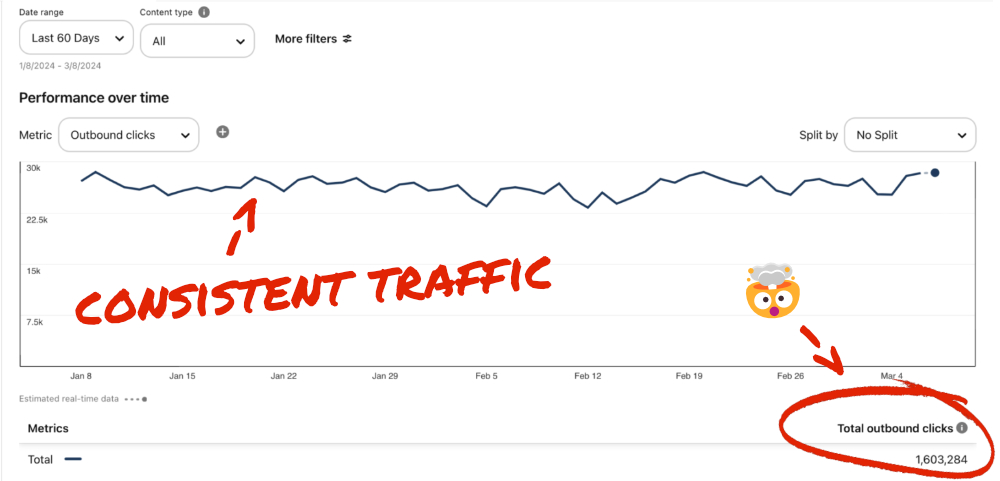
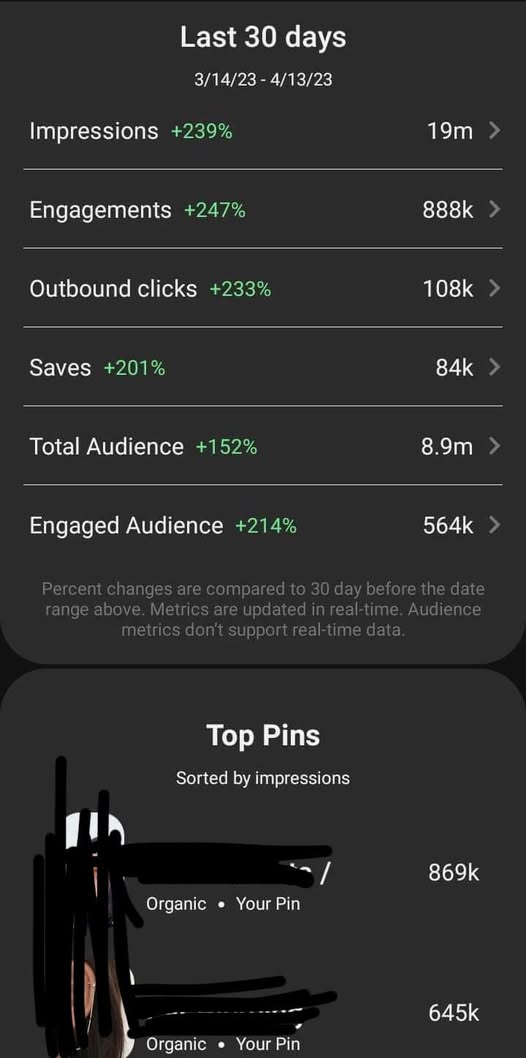
Check Real Results

Real Pinterest results screenshot from a AutomatedPin user
// WHO IT'S FOR

Made for crafters

Bloggers, pattern designers and craft shops.

Craft bloggers

Keep every tutorial in front of crafters.

Pattern designers

Pin free and paid patterns to grow sales.

Craft supply shops

Pin projects that use your supplies.

More crafters, less pin-making.

Pin every tutorial automatically.

Try AutomatedPin Free →

Craft Blogs + Pinterest — FAQ

Can I pin free patterns and printables?

Yes — the images in your post become the pins, linking back to the pattern.

Which templates suit crafts?

Cheerful collage and framed templates with bright palettes.

Can AI create pins for all my tutorials?

Yes — select hundreds and approve once.

Can Auto Blog write craft tutorials?

On plans with Auto Blog, AI writes posts with images from your titles and publishes them. Check patterns and measurements before publishing.

When should I pin holiday crafts?

About 6–8 weeks before each holiday.

Is it free to try?

Yes — use the free Pin Maker above or create a free account.

// FREE TOOLS

Free Pinterest Tools — No Sign-Up Needed

Try these free tools first, then put everything on autopilot.

Ready to get your crafts saved?

Hundreds of craft pins in one click.