πŸ“ For WordPress Bloggers

Auto-Pin Every WordPress Post to Pinterest
Old Posts, New Traffic

Your archive is full of great posts that barely get visits. We read your WordPress sitemap, turn every post into multiple pins and schedule them β€” so old content keeps earning traffic.

  • πŸ—ΊοΈ Reads Your WordPress, Yoast or Rank Math Sitemap
  • πŸ“š Pin Your Whole Archive β€” Not Just New Posts
  • πŸ€– AI Writes Pin Titles, Descriptions, Alt Text & Keywords
  • ✍️ Auto Blog: Write, Publish and Pin Automatically
  • πŸ”Œ No Plugin, No Code, No Slowdown
⚑ Hundreds of pages β†’ pins in 1 click ✍️ AI Auto Blog + auto pins ♾️ Unlimited AI pin designs

Free to start Β· No credit card needed Β· Official Pinterest API

⚑

AI Auto-Creates Pin Images for Hundreds of Posts β€” in 1 Click

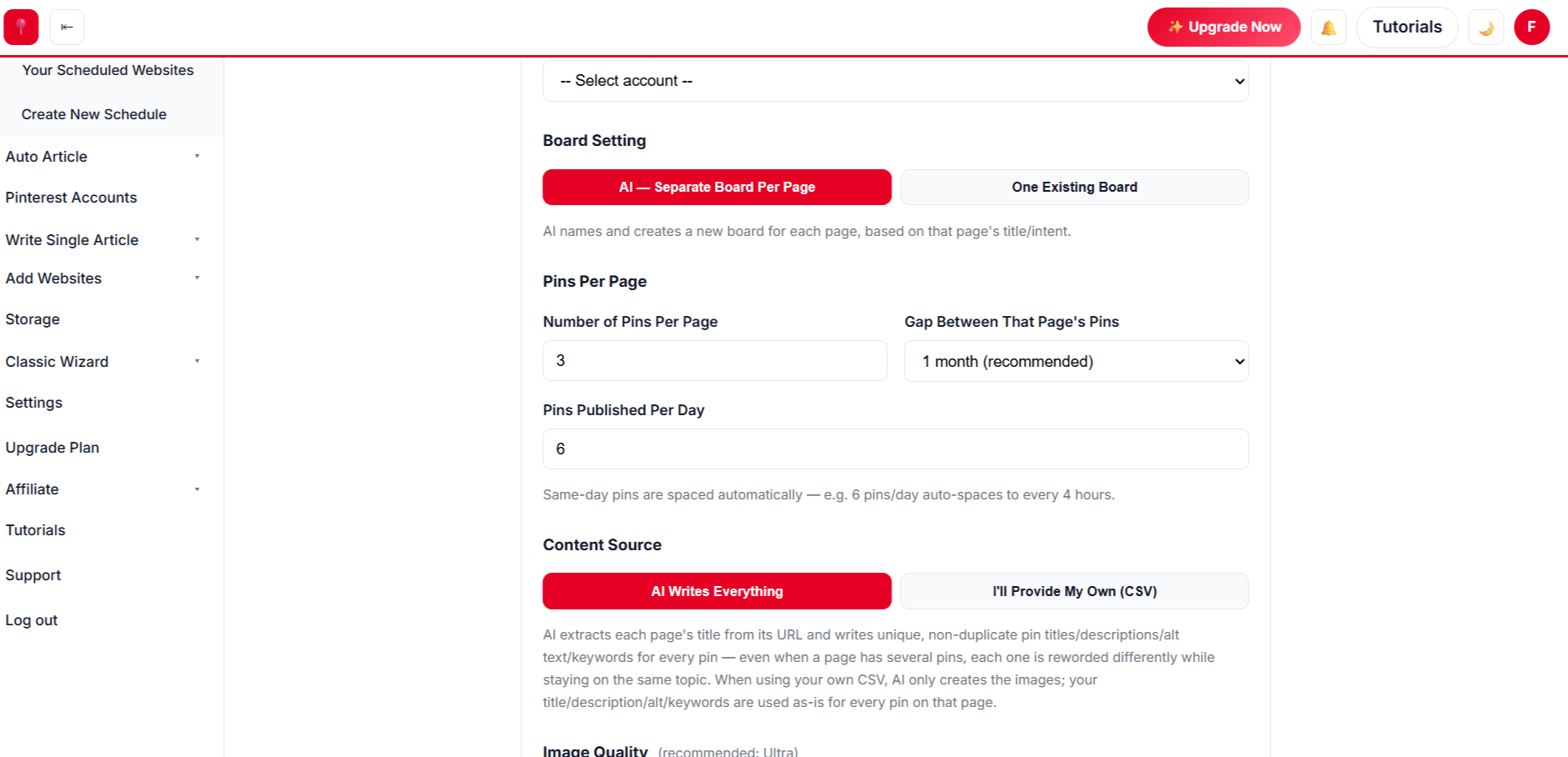
Select hundreds of posts at once. AI designs every pin from your own photos, writes the title, description, alt text and keywords, picks the board and schedules it all.

Create a free account β†’
✍️

AI Auto Blog: Create, Publish & Pin

Paste a list of titles. AI writes each article with images, publishes it to your site on a daily schedule, and schedules pins for every post automatically.

Sign up free to auto blog β†’
♾️

Unlimited AI Pin Designs

Unlimited templates, colour palettes and fonts, plus a free Canva-style design editor with every premium feature β€” AI picks the best look for every page, so no two pins look the same.

Get started free β†’
πŸ“ˆ Build real growth⏱️ Save hours every weekπŸ” Runs on autopilotβœ… Official Pinterest API

Paste a Blog Post Link

See three ready-to-post pins made from your post in seconds.

3 free generations Β· Unlimited templates Β· No sign-up needed
How-to postsListiclesRecipesTravel guidesDIY tutorialsProduct reviewsChecklistsPrintablesGift guidesEvergreen contentHow-to postsListiclesRecipesTravel guidesDIY tutorialsProduct reviewsChecklistsPrintablesGift guidesEvergreen content
// SEE THE RESULTS

See the Results: Your Archive, Working Again

Search traffic fades after a post is published. Pinterest traffic compounds β€” every pin you schedule adds to a library that keeps getting discovered.

0x more traffic, up to
0 days of pins in one run
0 pins per post by default
0+ premium pin templates
Pinterest traffic growth for a WordPress blog over 12 months

Illustrative growth curve β€” actual results vary by niche, content volume and consistency.

Start Free β†’
Simple 4-Step Process

From WordPress Blog to Scheduled Pins

Paste your blog link. We find every post, design every pin and schedule a year of content.

πŸ—ΊοΈ
Step 1 Β· Setup

Scan Your Blog

  • βœ“ We read your WordPress sitemap and list every post and page.
  • βœ“ Search your archive and select posts in bulk.
🎨
Step 2 Β· Design

Pick a Style for Your Blog

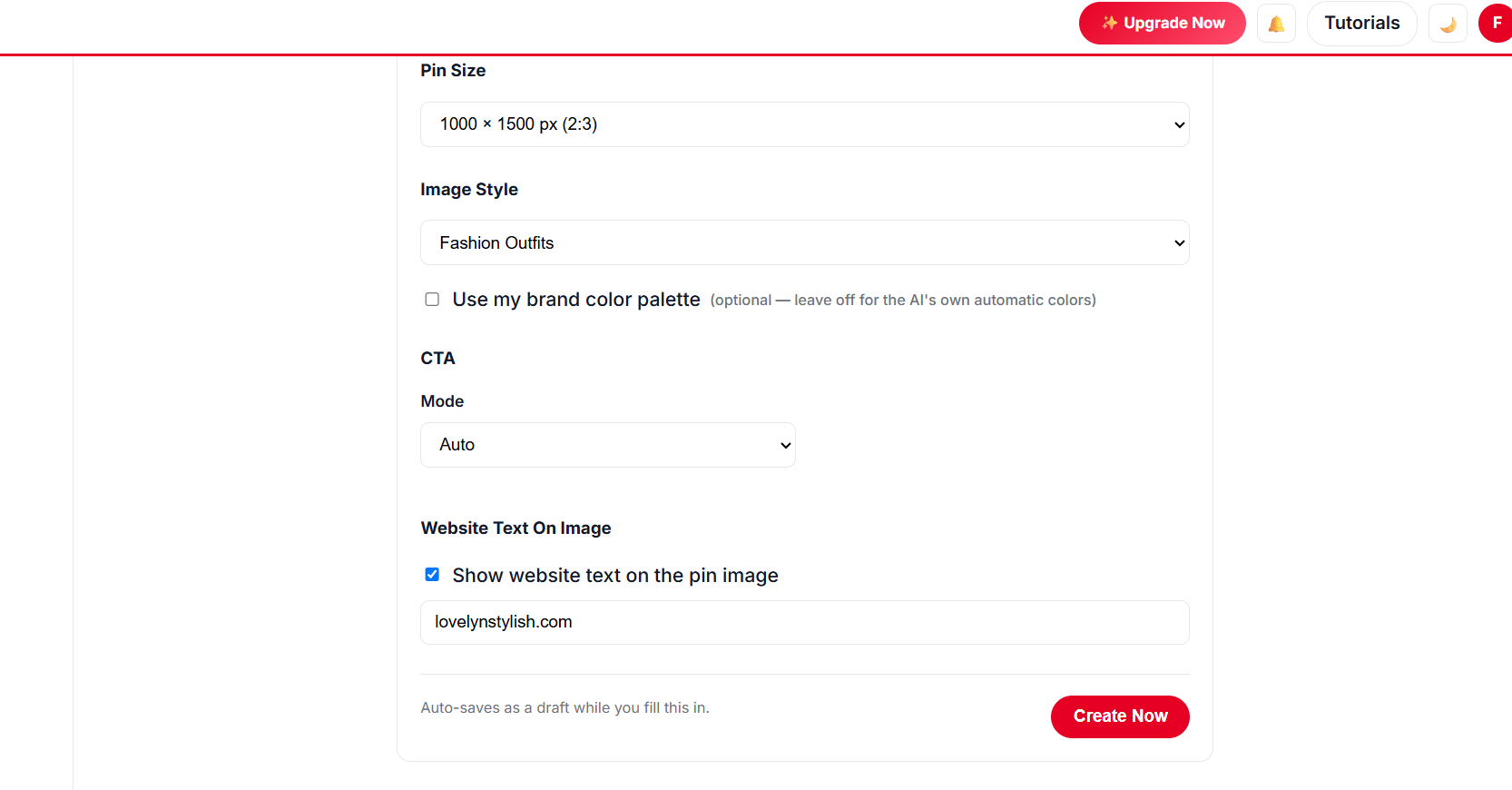
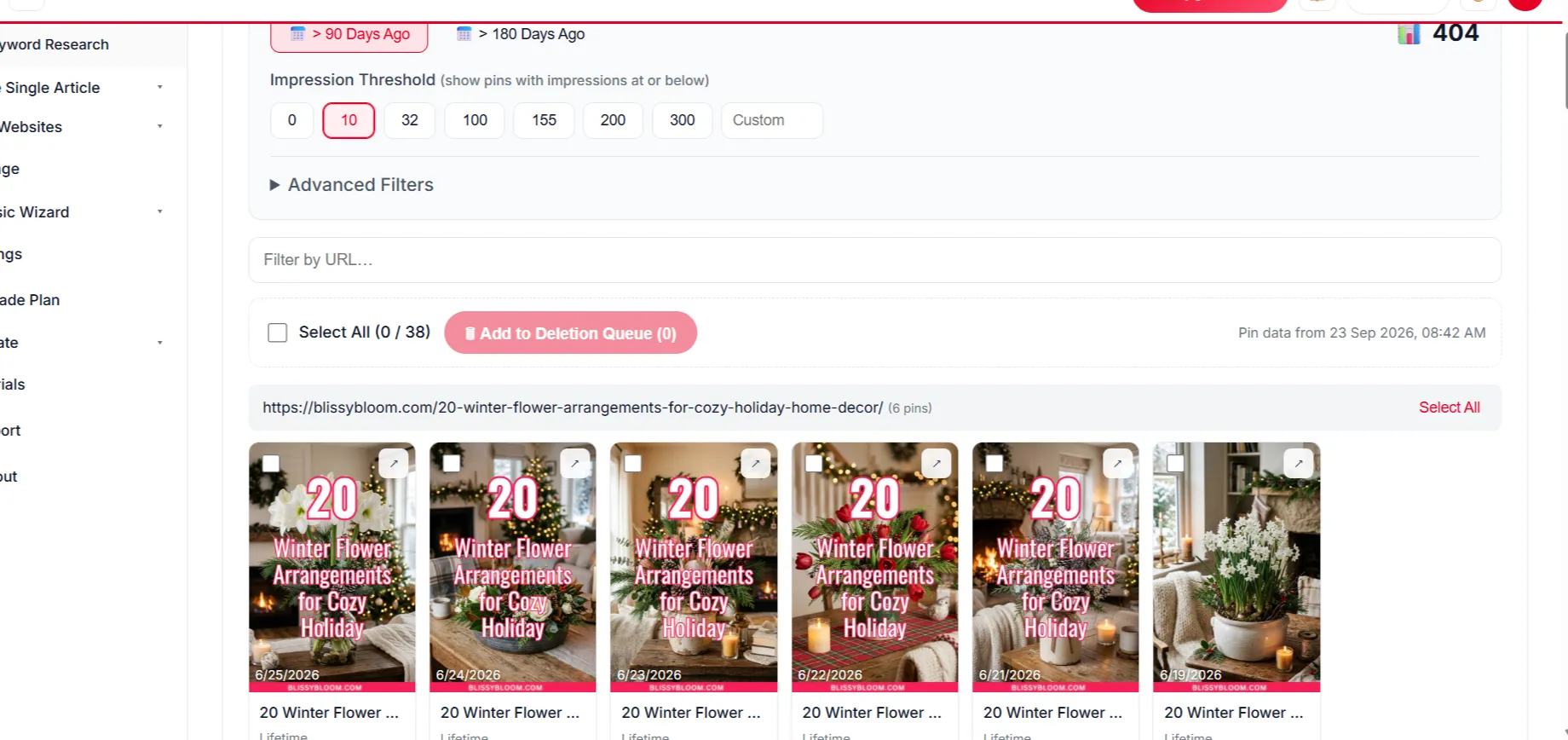
  • βœ“ Unlimited templates with a live preview using your own post images.
  • βœ“ Brand colours, unlimited fonts and a free Canva-style editor.
  • βœ“ AI picks the right template for each post’s topic.
Choosing pin templates for WordPress blog posts
βš™οΈ
Step 3 Β· Schedule

Spread Pins Over the Year

  • βœ“ Several pins per post, a month apart by default.
  • βœ“ Warm-up mode for new accounts, steady daily pins for established ones.
πŸš€
Step 4 Β· Approve

Approve and Keep Writing

  • βœ“ Review, edit or remove any pin, then approve.
  • βœ“ Your pins publish on schedule while you write the next post.
Approving scheduled blog pins
// NEW Β· AUTO BLOG + AUTO PIN

Create Hundreds of Blog Posts With Images, Publish Them and Schedule Pins β€” in 1 Click

Give AI a list of titles for your blog. It writes every article with images, publishes to your website at the pace you choose, and schedules Pinterest pins for each post β€” all in the background.

Sign Up Free & Start Auto Blogging β†’ Auto Blog is available on plans that include it β€” see pricing below.
// MADE FOR WORDPRESS

Why WordPress Bloggers Automate Pinterest

Pinterest is one of the biggest traffic sources for blogs. Automation makes it effortless.

πŸ—ΊοΈ

Sitemap-based discovery

Works with the built-in WordPress sitemap and popular sitemap plugins β€” no copy-pasting links.

πŸ”Œ

Nothing to install

No plugin to slow your site or break on updates.

✍️

Auto Blog

On supported plans, AI can write and publish posts to your WordPress site and pin them automatically.

🧠

Content-aware copy

AI reads each post and writes pin text that matches what readers search.

πŸ”

Multiple pins per post

Different angles and designs for the same post reach different readers.

πŸ“ˆ

Built for ad & affiliate income

More pageviews on the posts that already earn β€” ads, affiliate links or products.

// PINTEREST PLAYBOOK

The WordPress Blogger’s Pinterest Routine

What consistently grows blog traffic from Pinterest.

Put It on Autopilot β†’
  1. 1

    Pin your archive first

    Your older evergreen posts are the easiest wins β€” they already rank, they just need more visibility.

  2. 2

    Create several pins per post

    Three or more designs with different headlines give every post more chances to be found.

  3. 3

    Use keyword-rich headlines

    Put the search phrase on the pin image and in the pin title.

  4. 4

    Keep your boards focused

    Boards named after your categories help Pinterest understand your blog.

  5. 5

    Stay consistent

    Daily pins for months beat big bursts. Schedule once, then keep writing.

// MANUAL VS AUTOMATED

Manual Pinning vs Automated WordPress Pins

TaskDoing it by handWith AutomatedPin
Finding postsβœ• Dig through your archiveβœ“ Every post from your sitemap
Pin graphicsβœ• Design several per postβœ“ AI-designed from your images
Pin copyβœ• Write every descriptionβœ“ AI writes it for you
Schedulingβœ• Queue by hand each weekβœ“ A year scheduled in one run
Site impactβœ• Plugins and maintenanceβœ“ Nothing installed
// DATA-DRIVEN GROWTH

See Which Posts Pinterest Readers Love

Know which posts get clicks so you can write more of what works.

Up to 5x more traffic
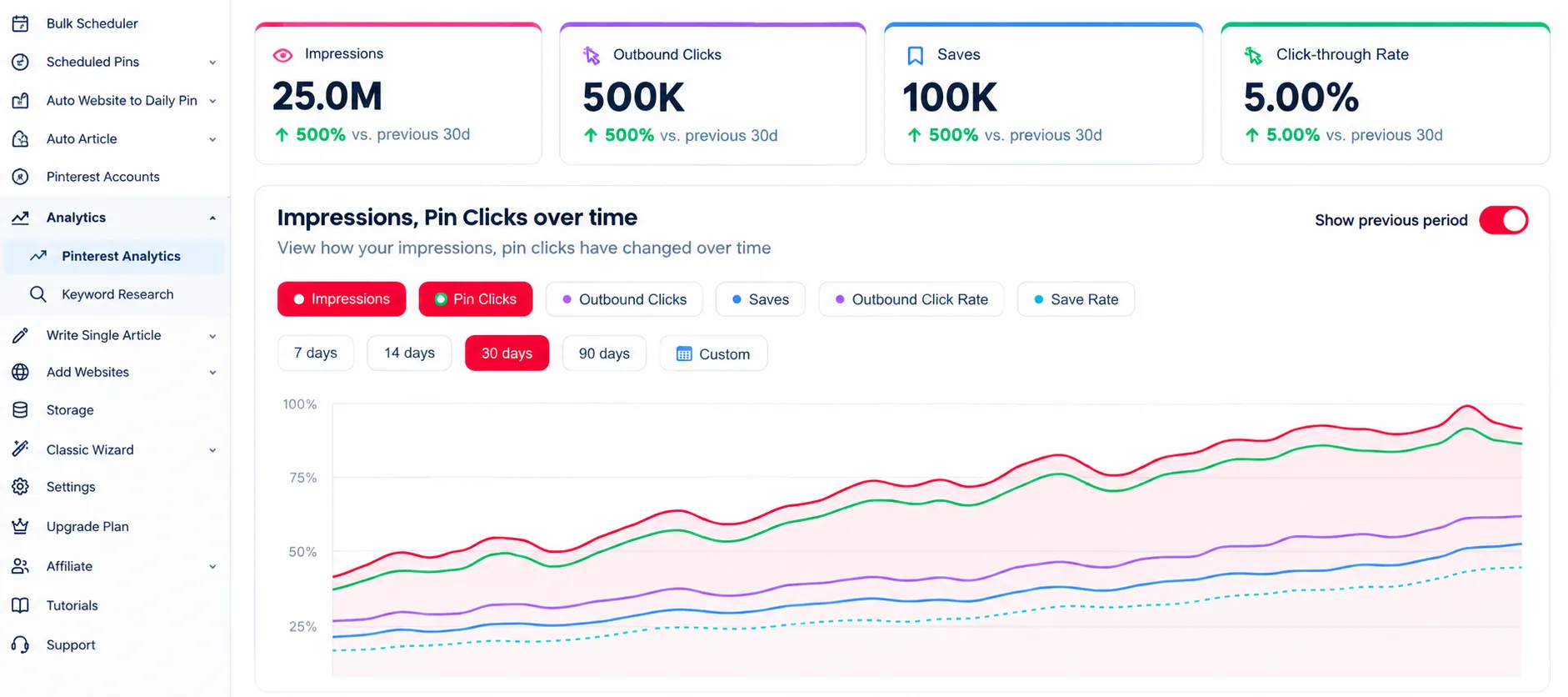
Pinterest analytics for a WordPress blog

Analytics

Track clicks to every post you pin.

47% higher engagement
Removing weak blog pins

Delete Underperforming Pins

Remove weak pins to keep engagement strong.

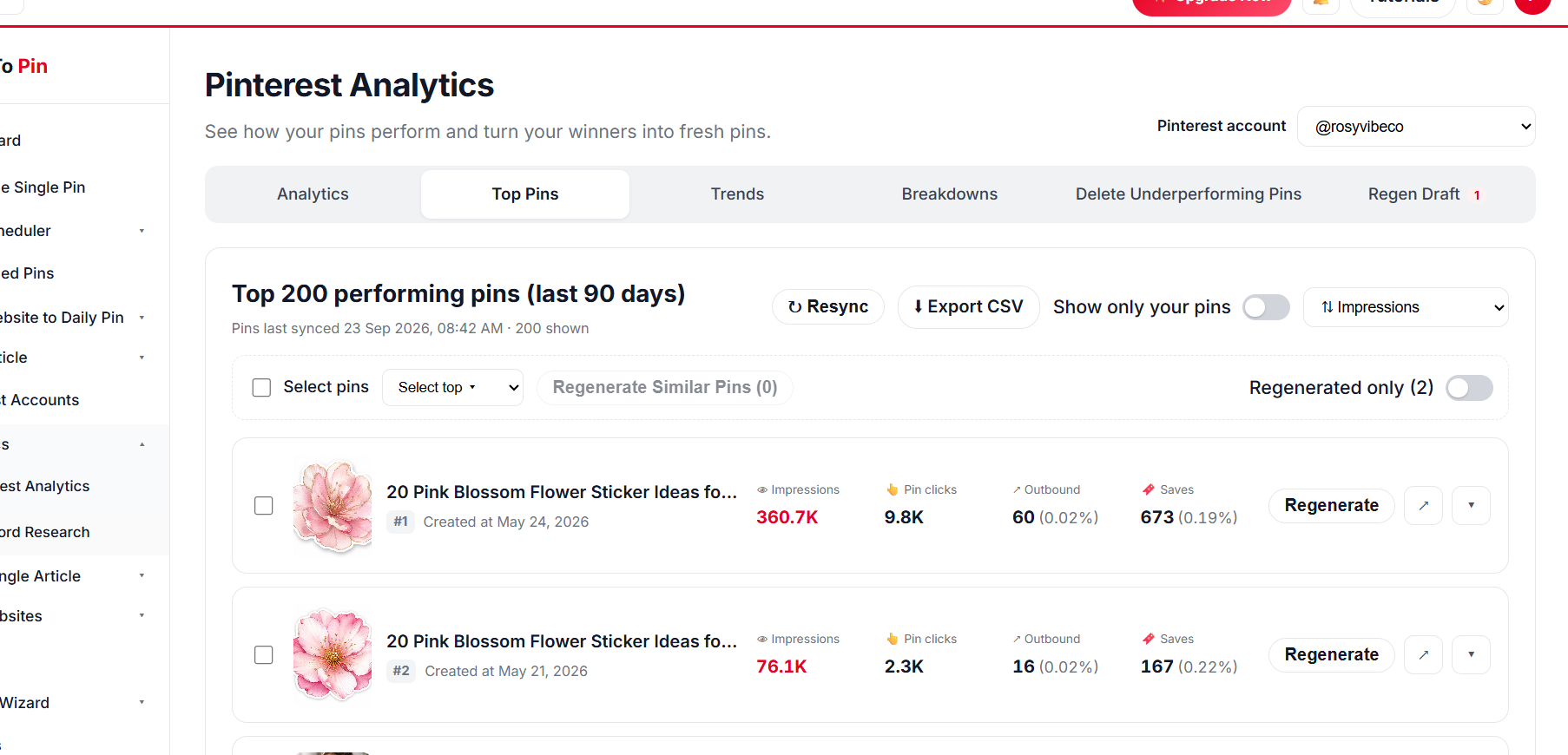
Top blog post pins

Top Pin Performance

Find your top posts on Pinterest.

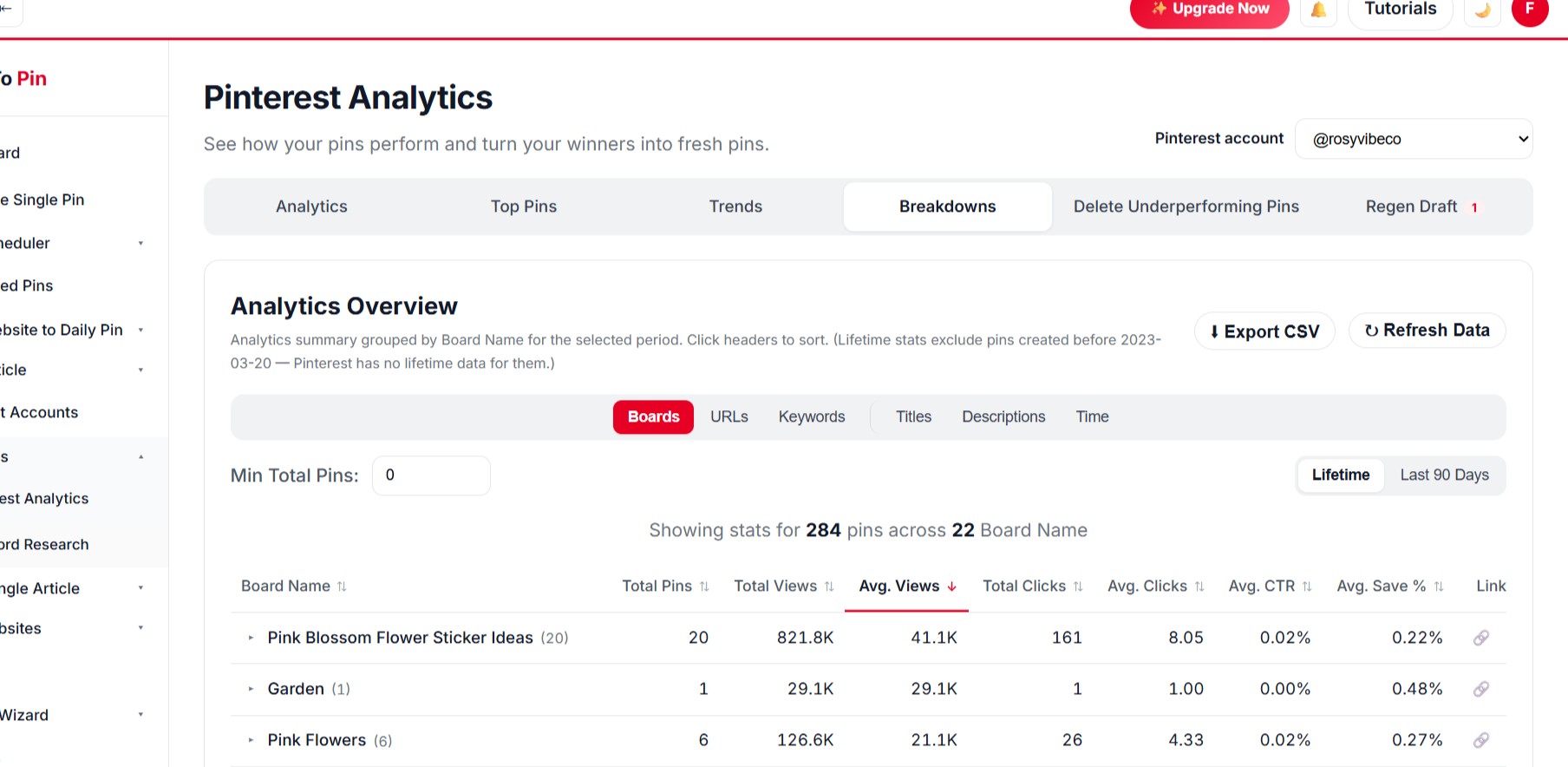
Blog pin analytics breakdown

Break It Down Any Way You Want

Compare by board, URL, keyword, title and time.

BoardsURLsKeywordsTitlesDescriptionsTime
// PRICING FOR WORDPRESS

Start Pinning Your WordPress Posts for Free

Create a free account and schedule your first posts β€” no card needed. Paid plans start at $39/month when you want more pins, Auto Blog and team seats.

What Our Users Say

Marcus Webb
Marcus Webb
E-commerce Manager
β˜…β˜…β˜…β˜…β˜†
Took a little while to get Auto Blog set up the way we wanted for our product pages, but once it clicked it's been running untouched for two months straight.
Emily Carter
Emily Carter
Content Creator
β˜…β˜…β˜…β˜…β˜…
Being able to hand my assistant a login through Team Management, without giving away my own account, was exactly what I needed.
Ahmed Khan
Ahmed Khan
Affiliate Marketer
β˜…β˜…β˜…β˜…β˜…
Every new post I publish gets turned into pins automatically now. It's the closest thing to "set it and forget it" I've found for Pinterest.
Sarah Mitchell
Sarah Mitchell
Lifestyle Blogger
β˜…β˜…β˜…β˜…β˜…
Bulk Pin Scheduler alone saves me hours every week. I paste in a batch of blog links and it writes the titles, descriptions, and even picks the right board β€” I just review and hit schedule.
Marcus Webb
Marcus Webb
E-commerce Manager
β˜…β˜…β˜…β˜…β˜†
Took a little while to get Auto Blog set up the way we wanted for our product pages, but once it clicked it's been running untouched for two months straight.
Emily Carter
Emily Carter
Content Creator
β˜…β˜…β˜…β˜…β˜…
Being able to hand my assistant a login through Team Management, without giving away my own account, was exactly what I needed.
Ahmed Khan
Ahmed Khan
Affiliate Marketer
β˜…β˜…β˜…β˜…β˜…
Every new post I publish gets turned into pins automatically now. It's the closest thing to "set it and forget it" I've found for Pinterest.
Sarah Mitchell
Sarah Mitchell
Lifestyle Blogger
β˜…β˜…β˜…β˜…β˜…
Bulk Pin Scheduler alone saves me hours every week. I paste in a batch of blog links and it writes the titles, descriptions, and even picks the right board β€” I just review and hit schedule.

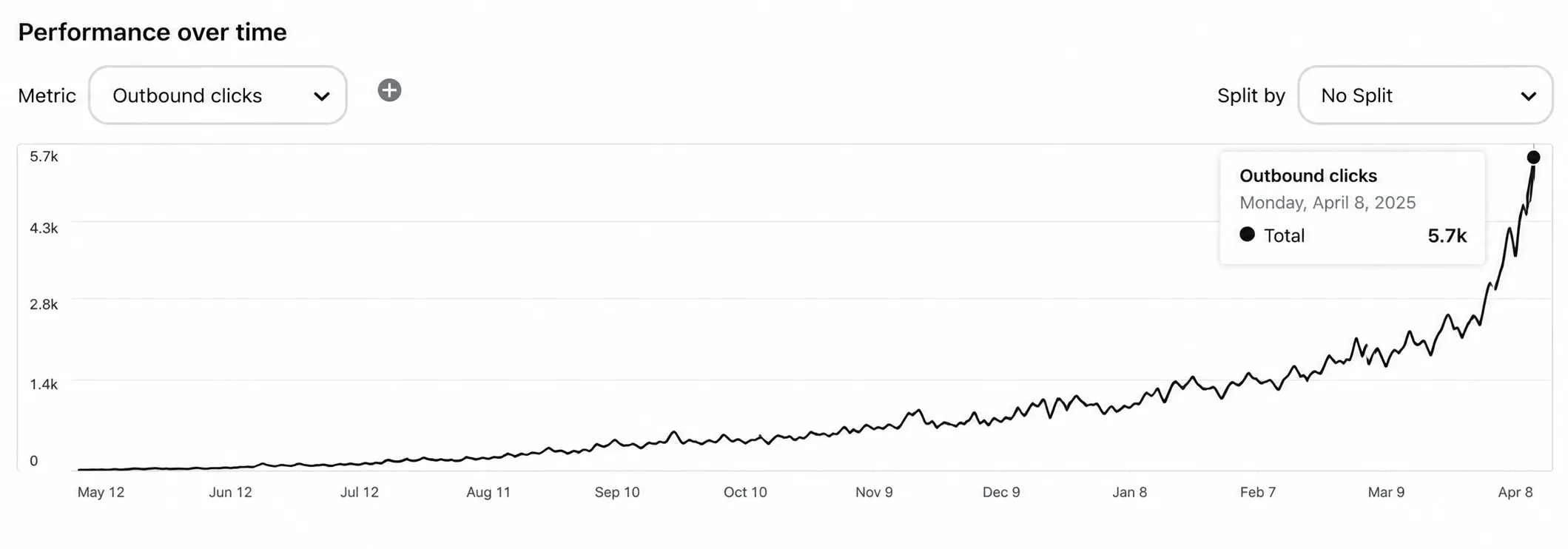
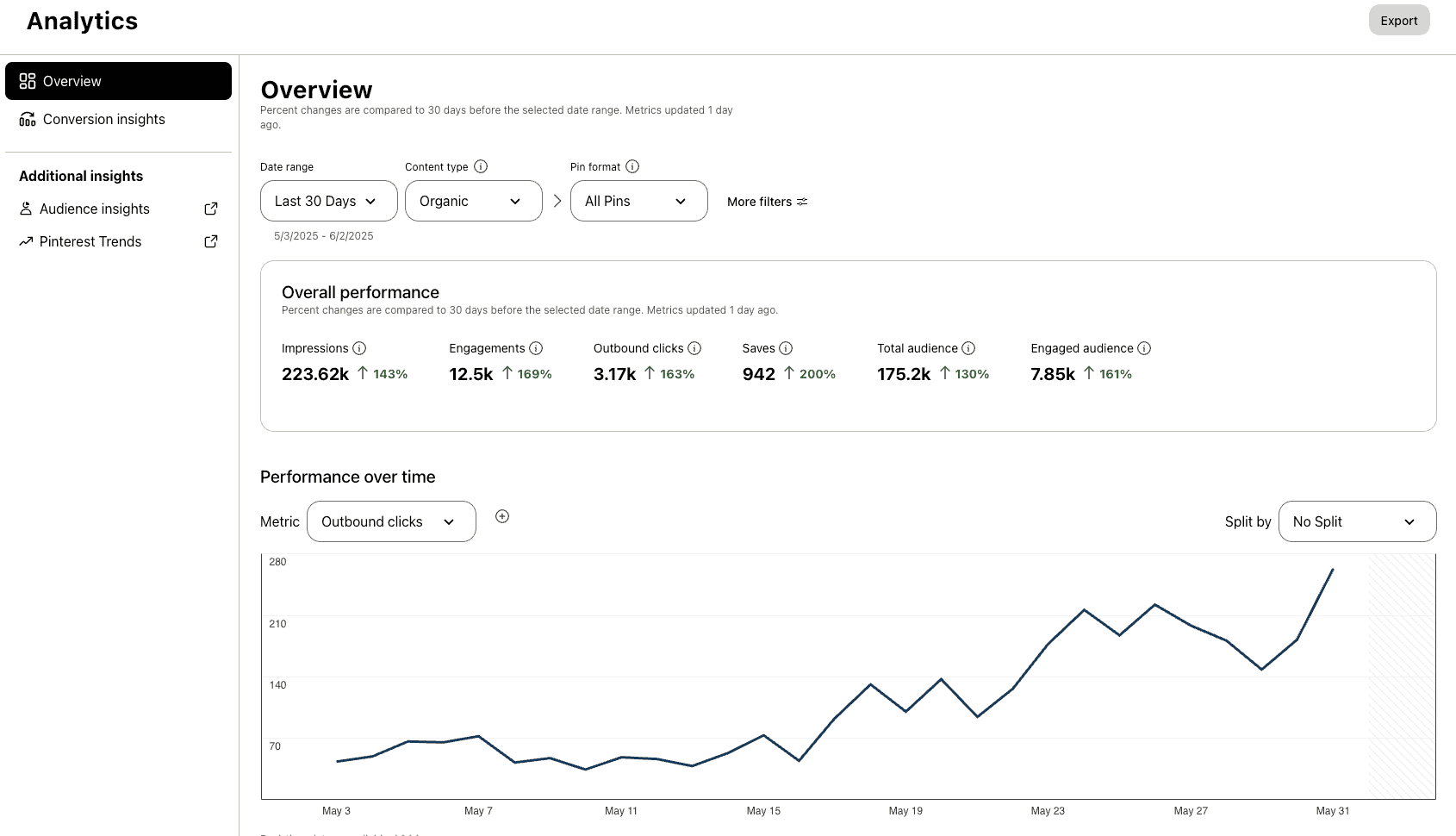
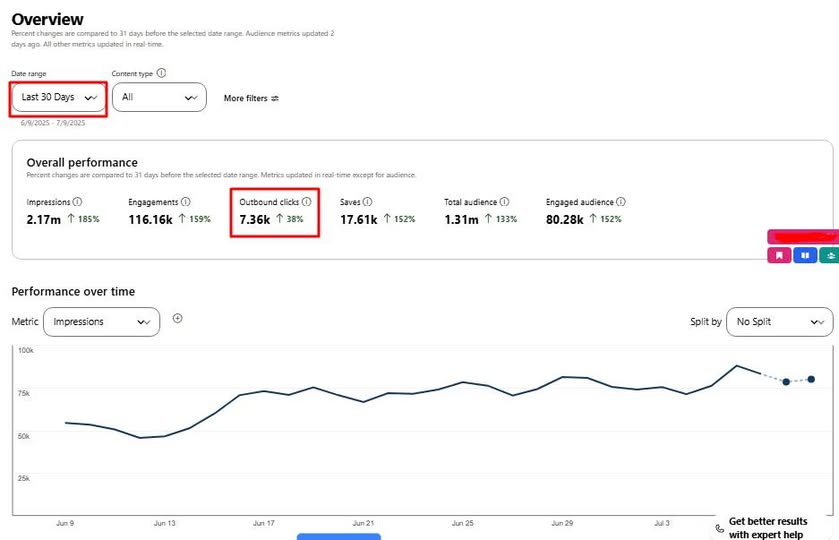
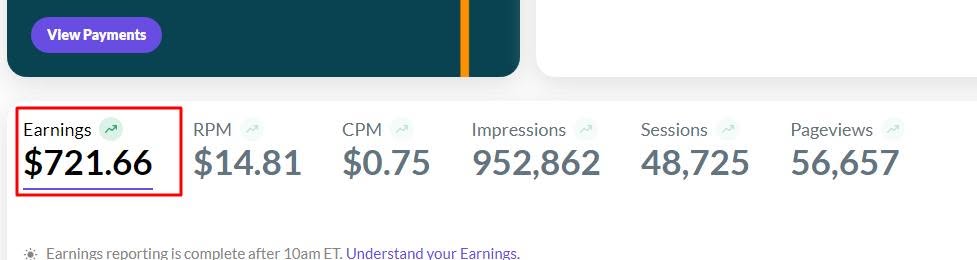
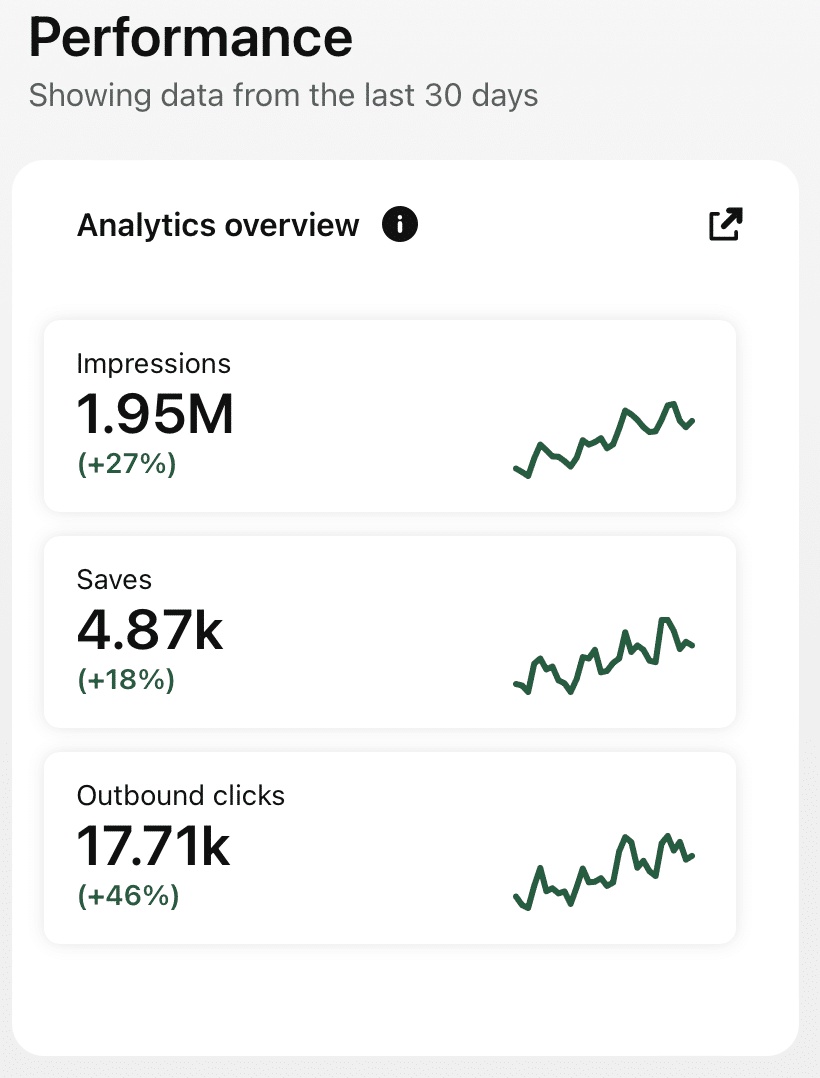
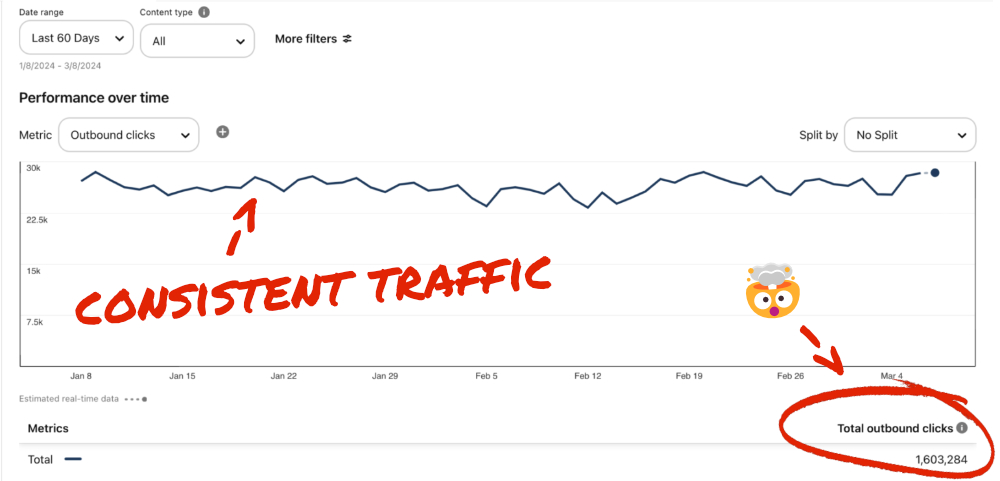
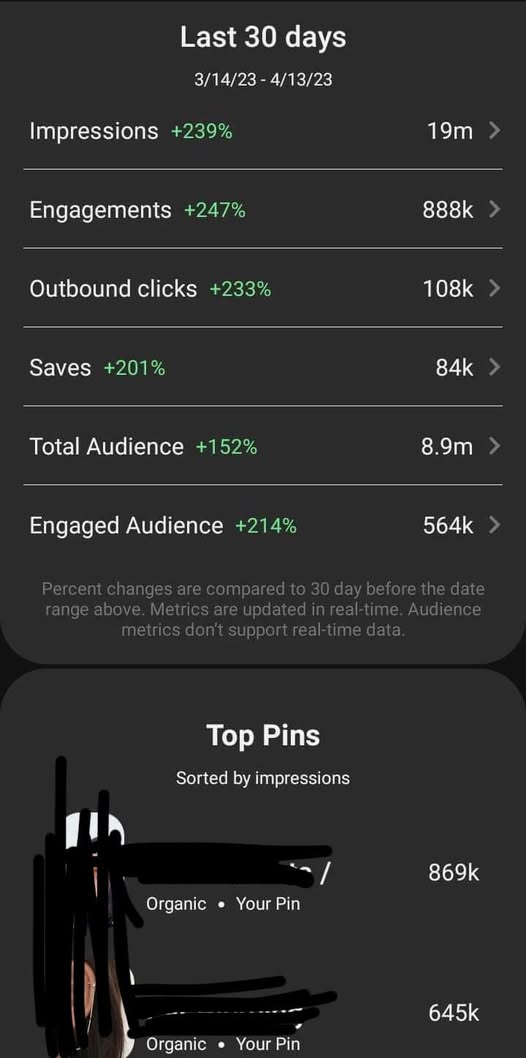
Check Real Results

Real Pinterest results screenshot from a AutomatedPin user
// WHO IT'S FOR

Made for WordPress publishers

Anyone who publishes on WordPress and wants more readers.

Niche bloggers

Turn every post into long-lasting Pinterest traffic without extra work.

Affiliate & ad-supported sites

Send more pageviews to the posts that already earn money.

Content agencies

Manage Pinterest for multiple WordPress sites with Team Management.

Give every WordPress post a second life.

Pin your whole archive β€” automatically.

Try AutomatedPin Free β†’

WordPress + Pinterest β€” Frequently Asked Questions

Do I need a WordPress plugin?

No. We read your public posts and sitemap. Nothing is installed on your site.

Which sitemaps work?

The built-in WordPress sitemap and sitemaps from Yoast, Rank Math, All in One and similar plugins, including sitemap index files.

Can I pin old posts, not only new ones?

Yes β€” that’s one of the best uses. Select any posts from your archive and schedule them over the coming months.

How many pins can I make per post?

Up to 10 per post, each with a different design and headline, spaced out by the gap you choose (30 days by default).

What is Auto Blog?

On plans that include it, AI writes and publishes articles to your WordPress site and schedules pins for them automatically.

Will it pick the right images from my post?

It uses your featured image and in-post images, skipping icons, logos and images that are too small or too wide.

Can I edit pins before they publish?

Yes. Every pin can be edited or removed before you approve. Unapproved runs are saved in Drafts.

Is there a free way to try it?

Use the free Pin Maker above with no account, or create a free account to schedule.

// FREE TOOLS

Free Pinterest Tools β€” No Sign-Up Needed

Try these free tools first, then put everything on autopilot.

Ready to turn your WordPress blog into a Pinterest traffic machine?

Scan once. Pin your whole archive. Keep writing.