🎽 For TeePublic Artists

Pinterest Automation for TeePublic Artists
Designs Beyond the Marketplace

TeePublic search is crowded. Pinterest is where people look for gift tees, fandom art and funny shirts — pin your designs there consistently and let new fans find your store.

  • 🎨 Pins From Your Design & Product Pages
  • 🧩 One Design, Many Products, Many Pins
  • 🔤 AI Writes Niche Titles Fans Search
  • ⚡ Your Portfolio Pinned in 1 Click
  • 🗂️ Theme Boards Created Automatically
⚡ Hundreds of pages → pins in 1 click ✍️ AI Auto Blog + auto pins ♾️ Unlimited AI pin designs

Free to start · No credit card needed · Official Pinterest API

⚡

AI Auto-Creates Pin Images for Hundreds of Designs — in 1 Click

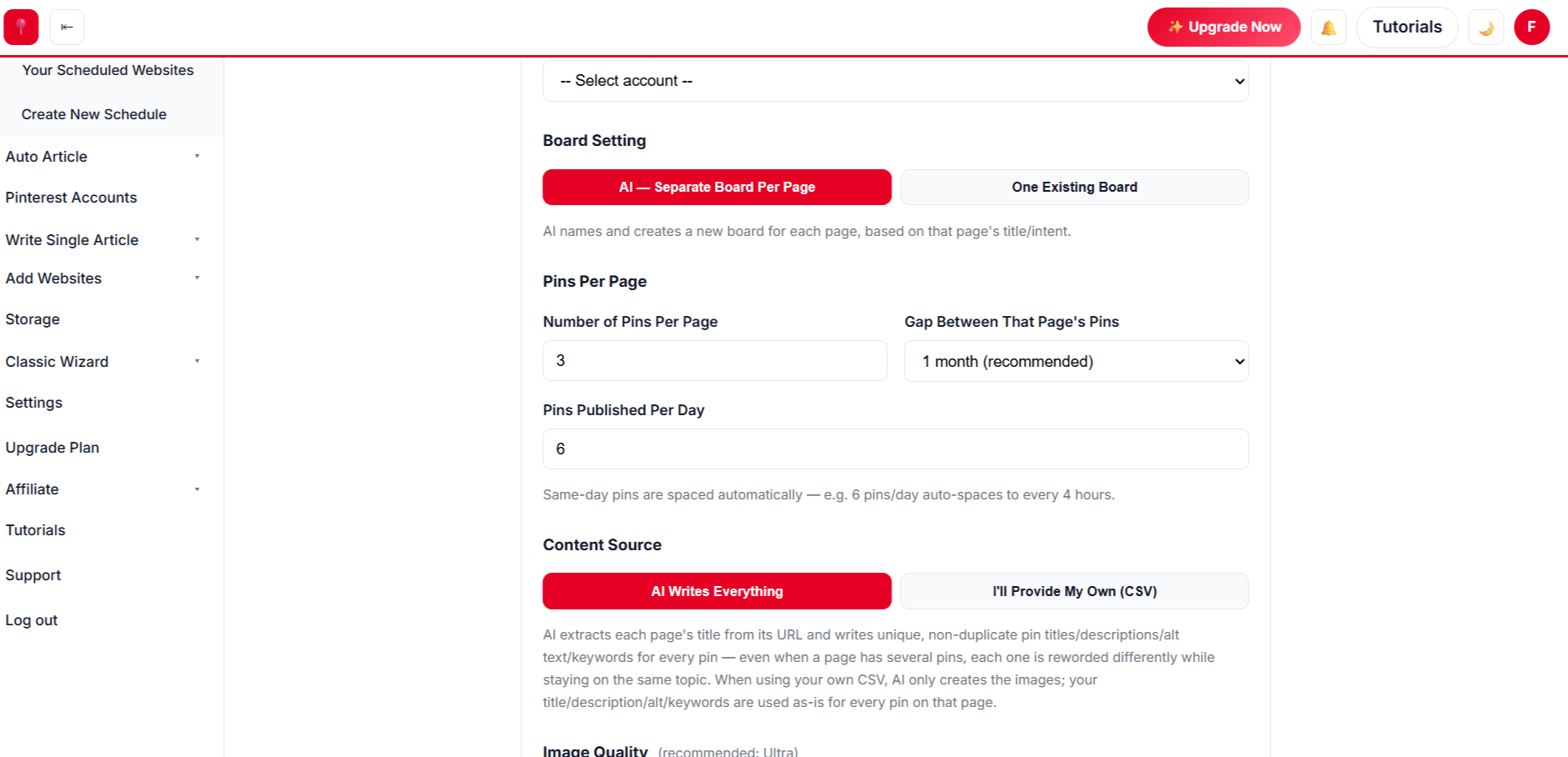
Select hundreds of designs at once. AI designs every pin from your own photos, writes the title, description, alt text and keywords, picks the board and schedules it all.

Create a free account →
✍️

AI Auto Blog: Create, Publish & Pin

Paste a list of titles. AI writes each article with images, publishes it to your site on a daily schedule, and schedules pins for every post automatically.

Sign up free to auto blog →
♾️

Unlimited AI Pin Designs

Unlimited templates, colour palettes and fonts, plus a free Canva-style design editor with every premium feature — AI picks the best look for every page, so no two pins look the same.

Get started free →
📈 Build real growth⏱️ Save hours every week🔁 Runs on autopilot✅ Official Pinterest API

Paste a Link From Your Store

We pull the images from your page, write the pin copy and design the pins in seconds.

3 free generations · Unlimited templates · No sign-up needed
Funny teesFandom artRetro designsPun shirtsAnimal designsGaming teesBook lover giftsScience shirtsHoliday teesStickersFunny teesFandom artRetro designsPun shirtsAnimal designsGaming teesBook lover giftsScience shirtsHoliday teesStickers
// SEE THE RESULTS

See the Results: Designs That Keep Getting Found

Saved pins keep sending visitors long after a design leaves the marketplace’s front pages.

0x more traffic, up to
0+ premium pin templates, free
0 days of pins in one run
0+ free Pinterest & Etsy tools
Pinterest traffic growth for a TeePublic Store

Illustrative growth curve — actual results vary by niche, content volume and consistency.

Start Free →
Simple 4-Step Process

From Your Store to Scheduled Pins

Scan, design, schedule, approve — AI handles the rest.

🗺️
Step 1 · Setup

Scan Your Store

  • ✓ Every one of your designs listed automatically from your sitemap — or paste single links.
  • ✓ Search, then select in bulk or select everything.
🎨
Step 2 · Design

Pick Your Pin Style

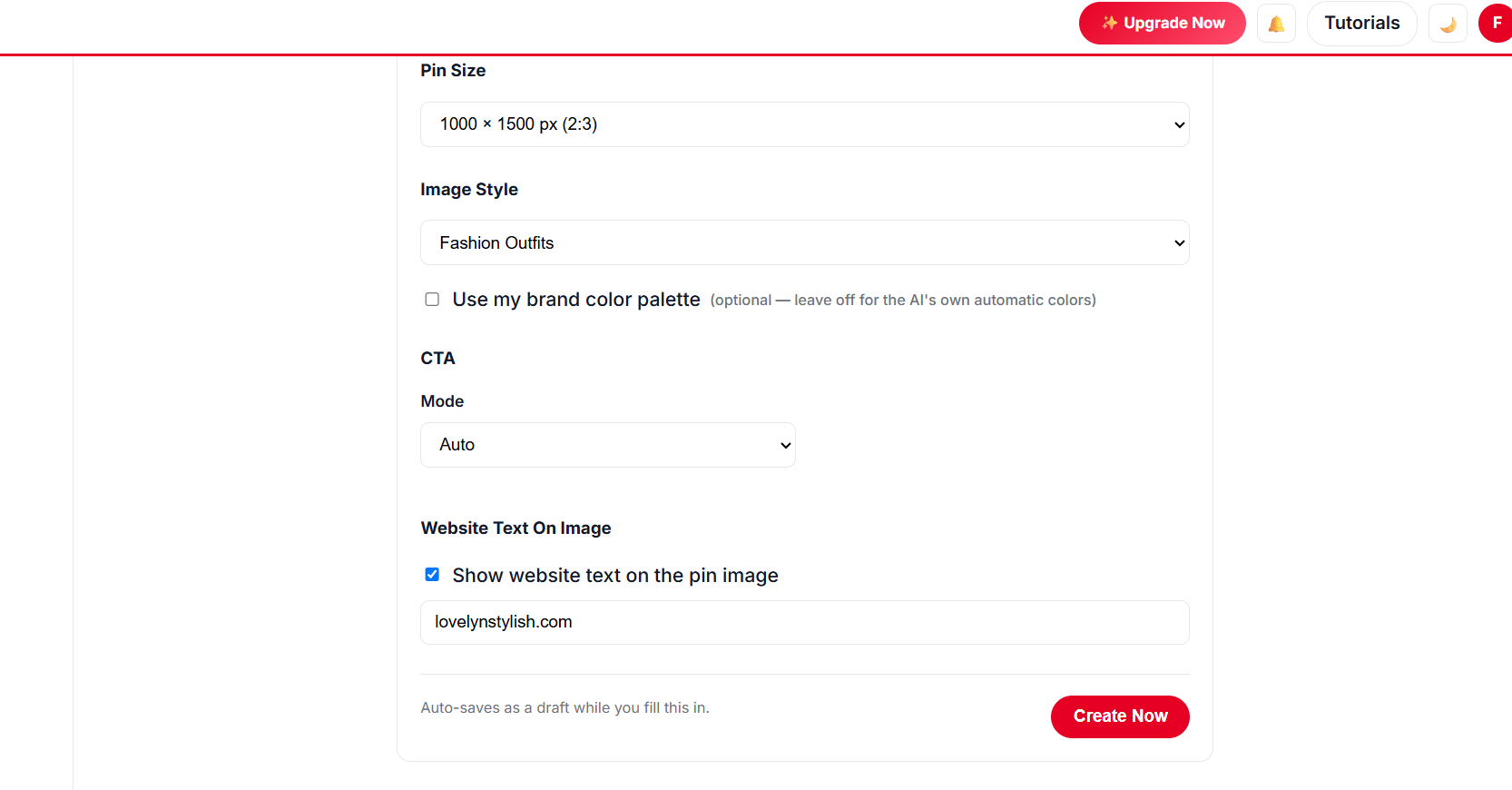
  • ✓ Unlimited templates, palettes and fonts with a live preview.
  • ✓ Design your own in the free Canva-style editor, or let AI pick the template per page.
Choosing pin templates for a TeePublic Store
⚙️
Step 3 · Schedule

Set a Safe Pace

  • ✓ Pins per day with automatic gaps, or the new-account warm-up.
  • ✓ Several pins per designs, spaced weeks apart. AI picks or creates the boards.
🚀
Step 4 · Approve

Approve Once

  • ✓ Edit any pin, then approve the batch.
  • ✓ Pins publish on autopilot; anything unapproved waits in Drafts.
Approving pins for a TeePublic Store
// NEW · AUTO BLOG + AUTO PIN

Create Hundreds of Blog Posts With Images, Publish Them and Schedule Pins — in 1 Click

Give AI a list of titles for your design niche. It writes every article with images, publishes to your website at the pace you choose, and schedules Pinterest pins for each post — all in the background.

Sign Up Free & Start Auto Blogging → Auto Blog is available on plans that include it — see pricing below.
// WHY IT WORKS

Why TeePublic Artists Automate Pinterest

Discovery you control.

🎨

Artwork-first

Minimal frames that let the design shine.

🧩

Product variety

Tee, hoodie, sticker, mug — each can be a pin.

🔤

Niche copy

Titles fans type.

🎄

Seasonal designs

Holiday designs pinned early.

🗂️

Theme boards

Organised by theme.

📊

Top designs

See what gets clicks.

// PINTEREST PLAYBOOK

Pinterest Tips for TeePublic Artists

Grow beyond marketplace search.

Put It on Autopilot →
  1. 1

    Pin each product type

    Different buyers, different pins.

  2. 2

    Use niche words

    “Retro Cat Astronaut Tee”.

  3. 3

    Group by theme

    Boards help Pinterest understand your art.

  4. 4

    Pin seasonal early

    Holiday designs a month or two ahead.

  5. 5

    Only pin your own work

    Avoid designs you don’t have rights to.

// MANUAL VS AUTOMATED

Manual vs Automated TeePublic Store Pins

TaskDoing it by handWith AutomatedPin
Pin design✕ One at a time✓ Hundreds of designs in 1 click
Pin copy✕ Written by hand✓ AI writes titles, descriptions & alt text
Posting✕ Daily manual work✓ Months scheduled in one run
New content✕ Write every post yourself✓ Auto Blog writes, publishes & pins
// DATA-DRIVEN GROWTH

See What Pinterest Users Save

Find the designs that bring clicks and make more of them.

Up to 5x more traffic
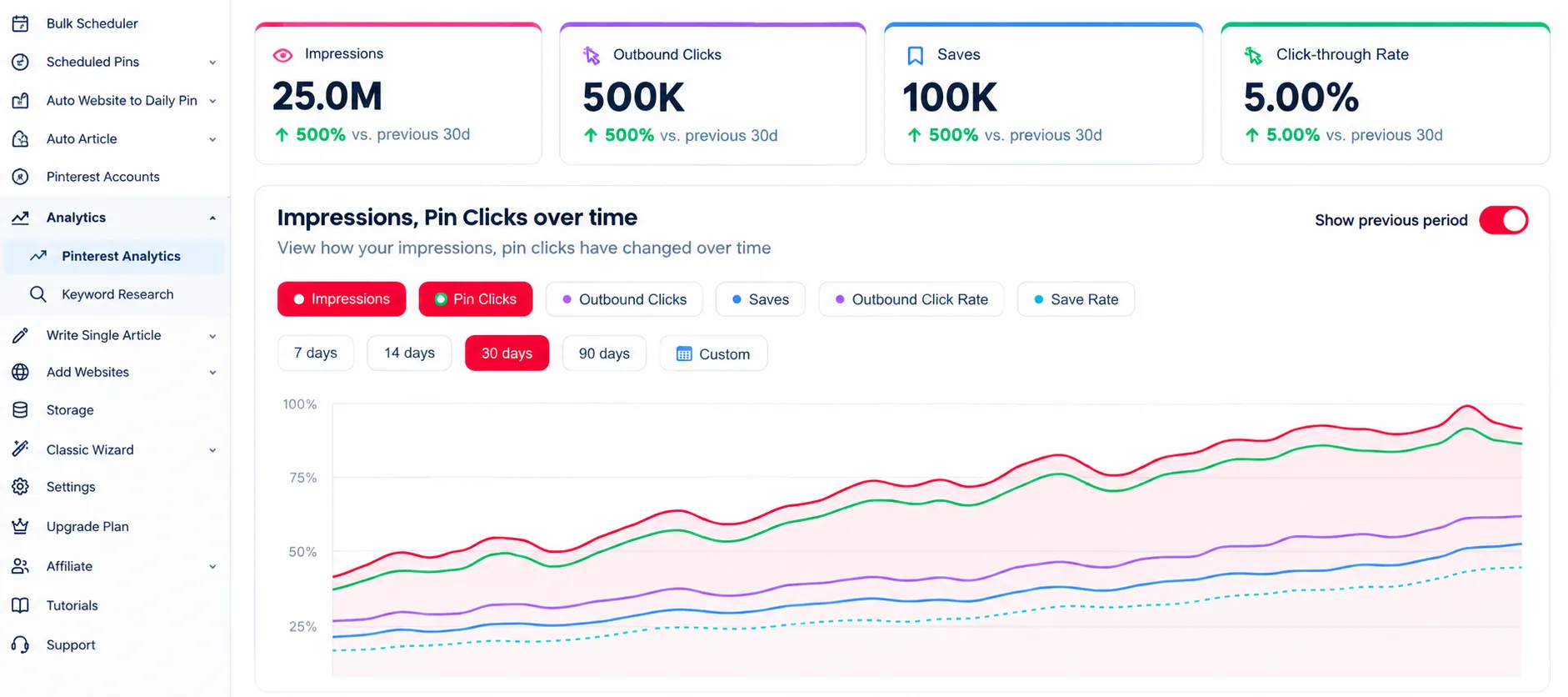
Pinterest analytics for a TeePublic Store

Analytics

Track clicks and saves for all your designs.

47% higher engagement
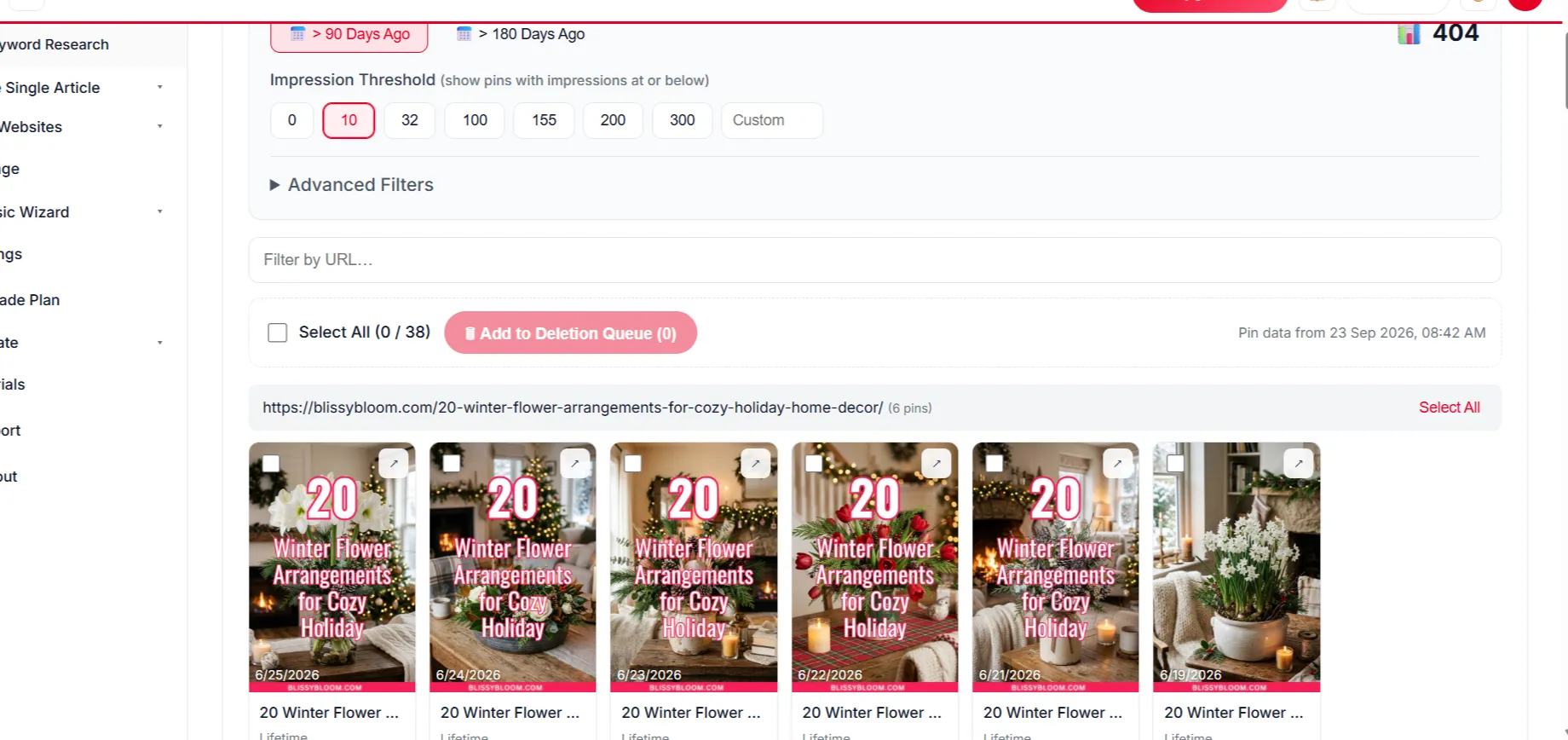
Removing underperforming pins

Delete Underperforming Pins

Remove weak pins to keep engagement strong.

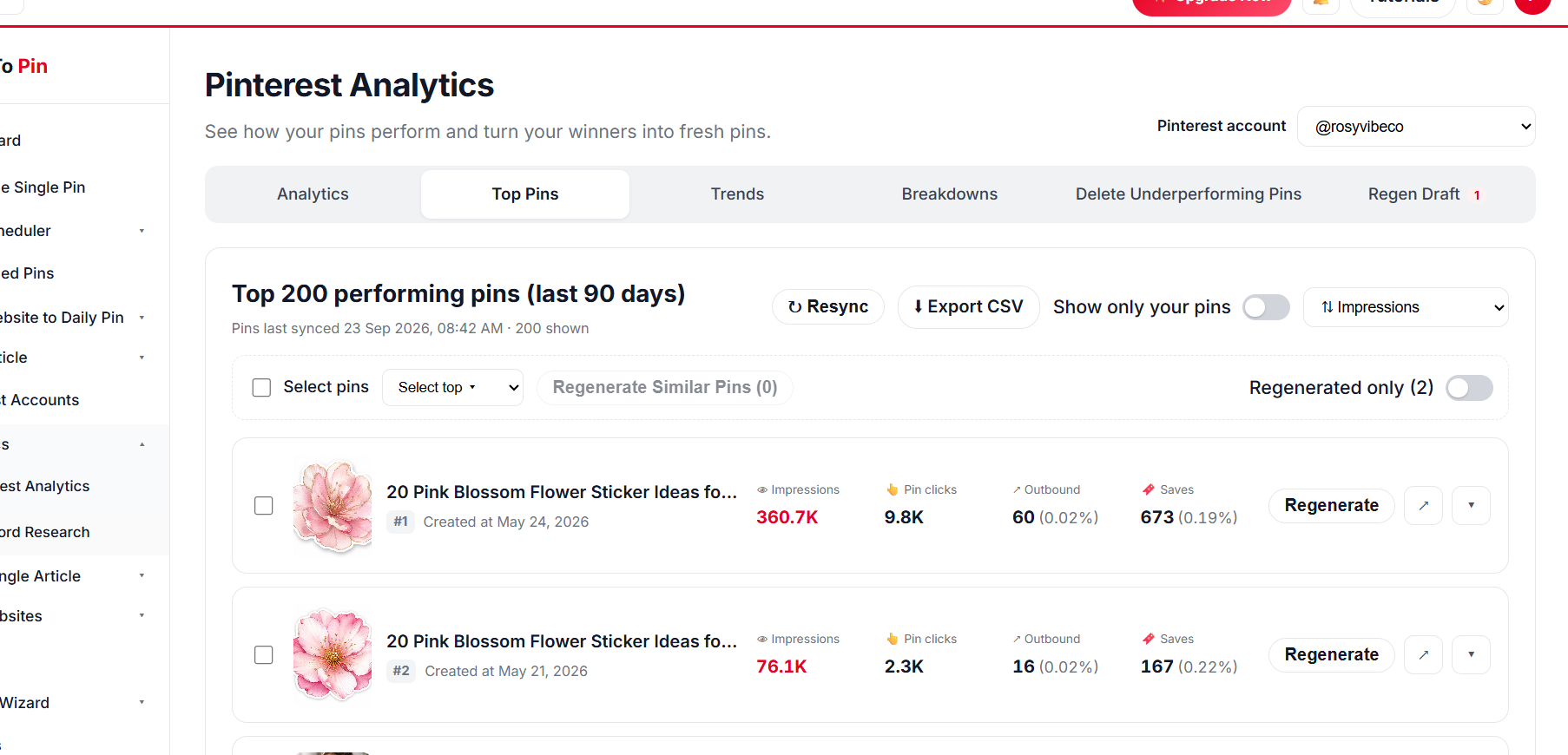
Top pin performance

Top Pin Performance

See your top pins at a glance.

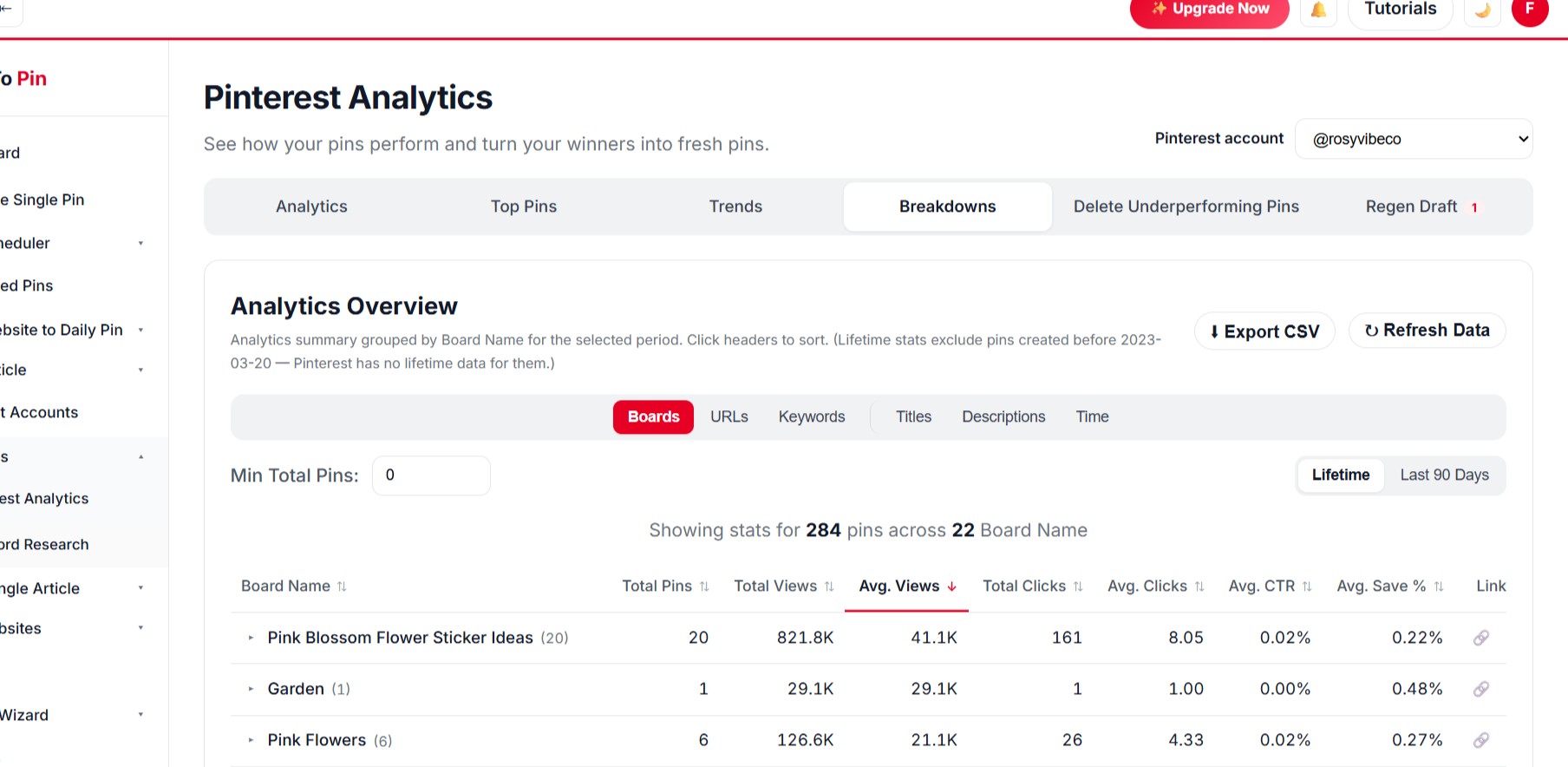
Pin analytics breakdown

Break It Down Any Way You Want

Compare by board, URL, keyword, title and time.

BoardsURLsKeywordsTitlesDescriptionsTime
// PRICING FOR TEEPUBLIC ARTISTS

Start Pinning Your TeePublic Artists Designs for Free

Create a free account and schedule your first designs — no card needed. Paid plans start at $39/month when you want more pins, Auto Blog and team seats.

What Our Users Say

Emily Carter
Emily Carter
Content Creator
★★★★★
Being able to hand my assistant a login through Team Management, without giving away my own account, was exactly what I needed.
Ahmed Khan
Ahmed Khan
Affiliate Marketer
★★★★★
Every new post I publish gets turned into pins automatically now. It's the closest thing to "set it and forget it" I've found for Pinterest.
Sarah Mitchell
Sarah Mitchell
Lifestyle Blogger
★★★★★
Bulk Pin Scheduler alone saves me hours every week. I paste in a batch of blog links and it writes the titles, descriptions, and even picks the right board — I just review and hit schedule.
Daniel Reyes
Daniel Reyes
Owner, Trail & Table
★★★★★
Connected my Pinterest account in under a minute and had pins scheduled for the whole month by lunchtime. Way less fiddly than anything else I've tried.
Emily Carter
Emily Carter
Content Creator
★★★★★
Being able to hand my assistant a login through Team Management, without giving away my own account, was exactly what I needed.
Ahmed Khan
Ahmed Khan
Affiliate Marketer
★★★★★
Every new post I publish gets turned into pins automatically now. It's the closest thing to "set it and forget it" I've found for Pinterest.
Sarah Mitchell
Sarah Mitchell
Lifestyle Blogger
★★★★★
Bulk Pin Scheduler alone saves me hours every week. I paste in a batch of blog links and it writes the titles, descriptions, and even picks the right board — I just review and hit schedule.
Daniel Reyes
Daniel Reyes
Owner, Trail & Table
★★★★★
Connected my Pinterest account in under a minute and had pins scheduled for the whole month by lunchtime. Way less fiddly than anything else I've tried.

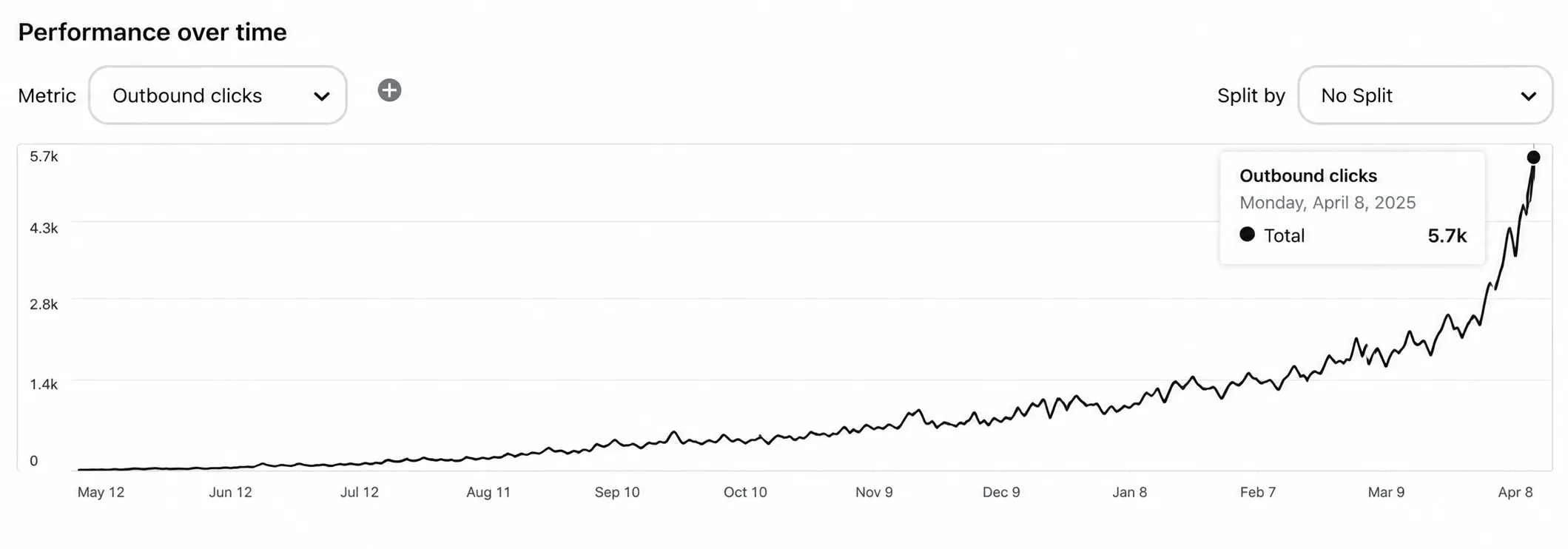
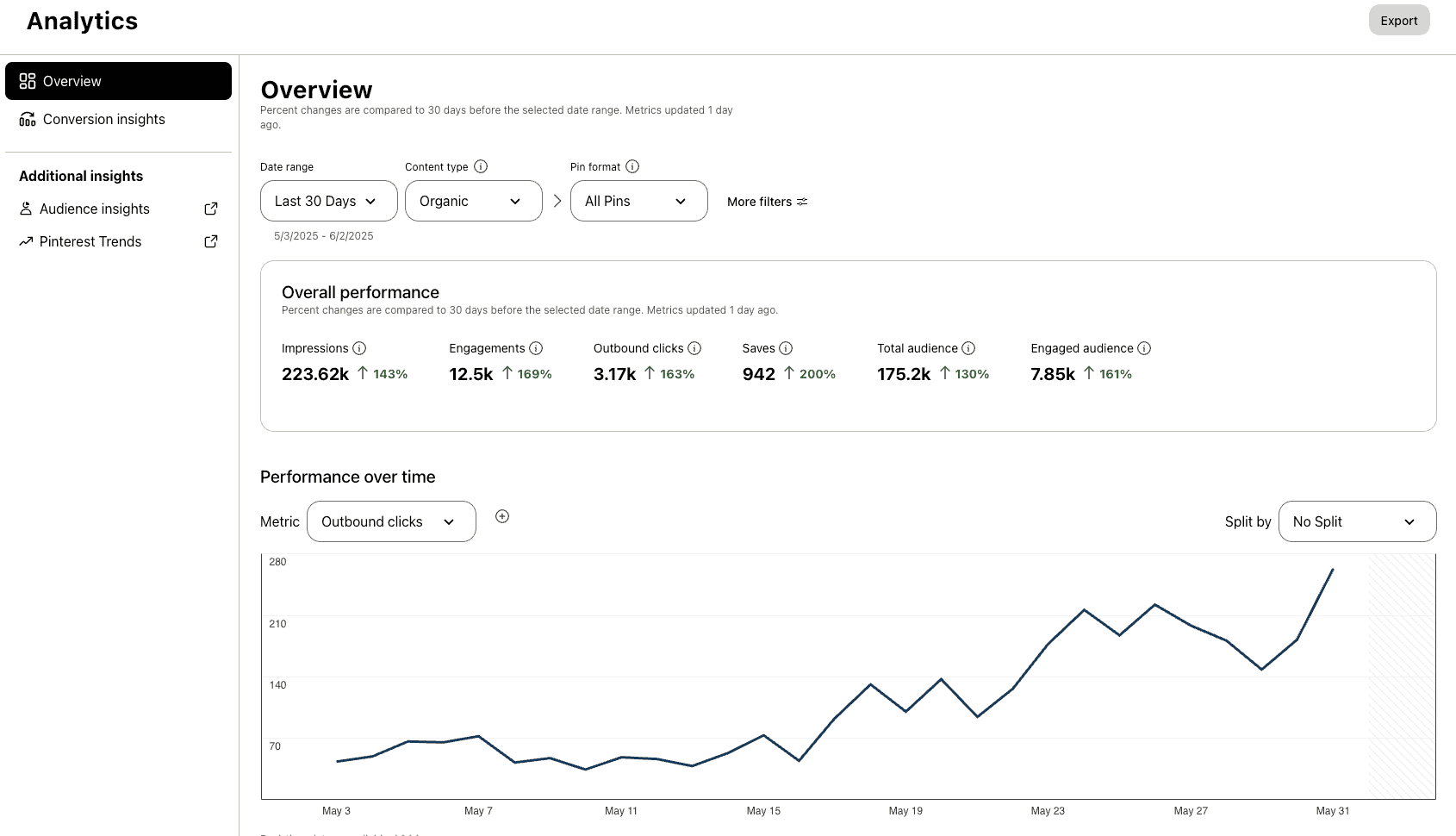
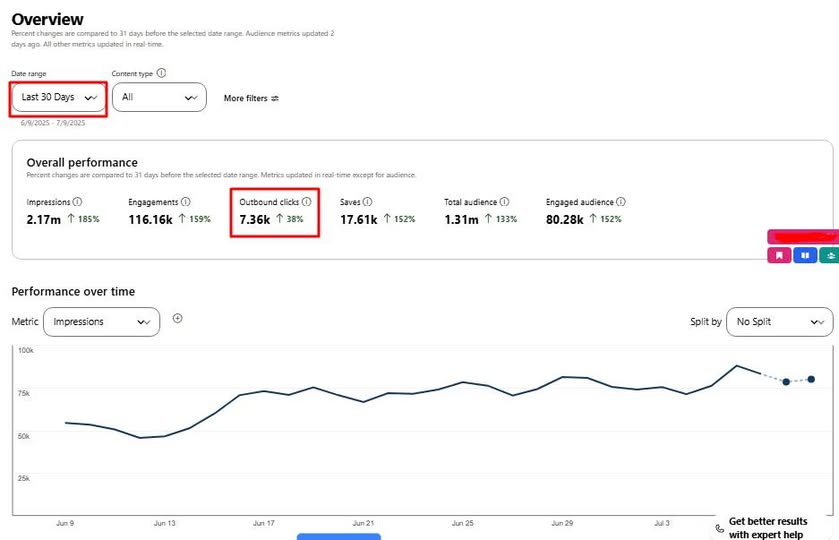
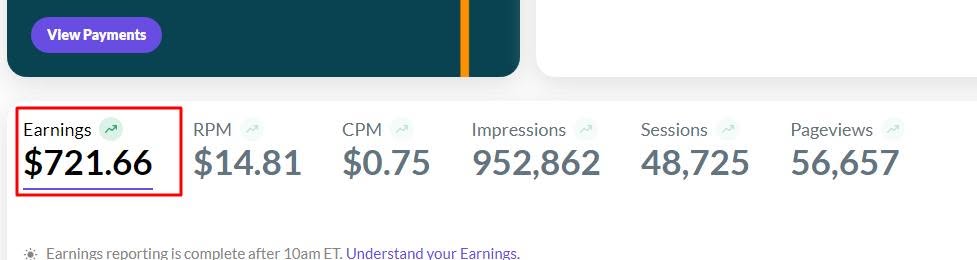
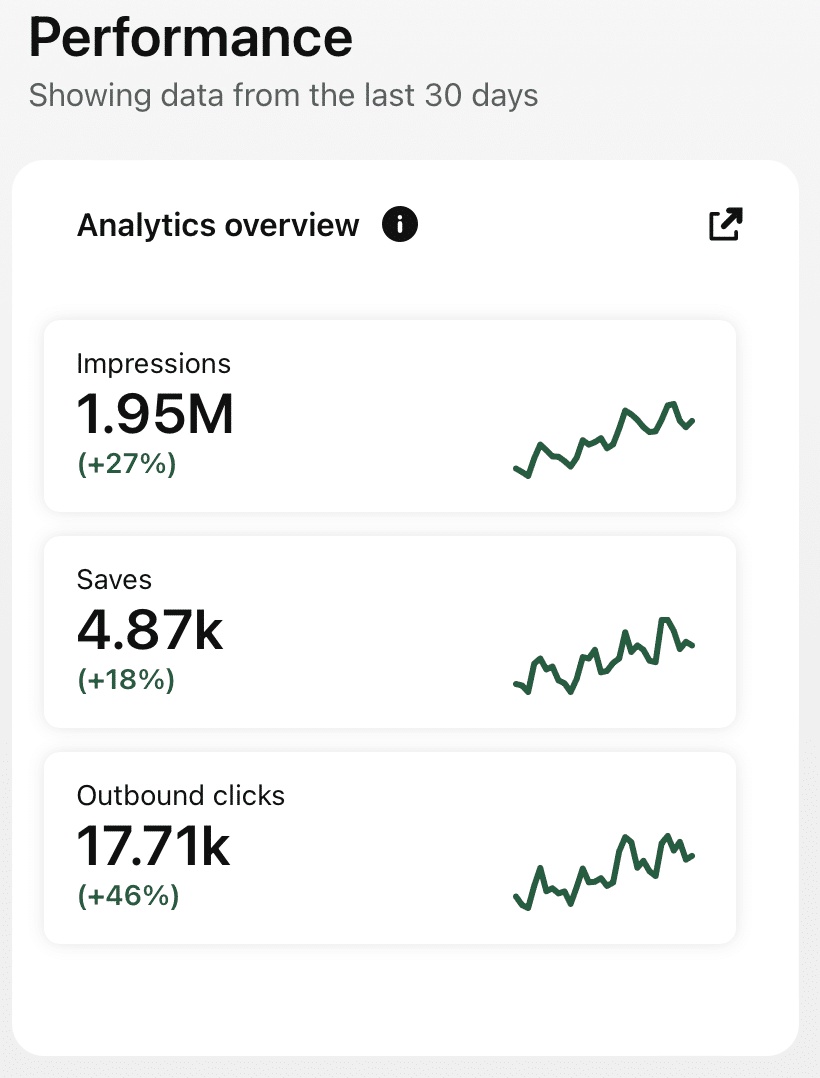
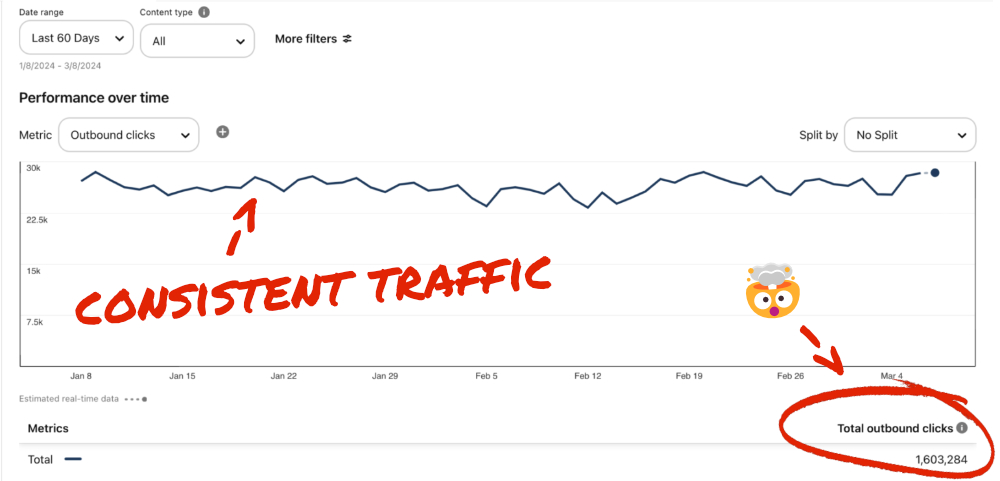
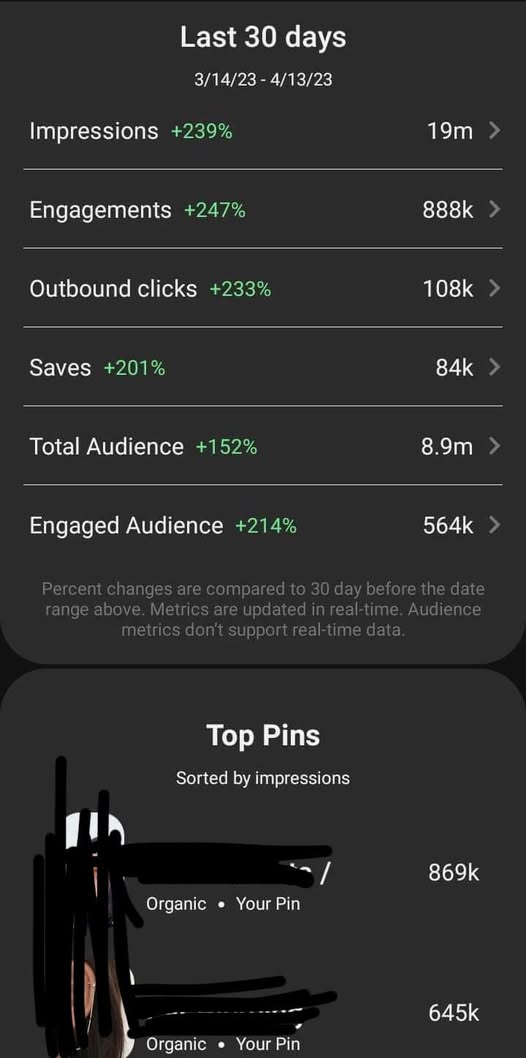
Check Real Results

Real Pinterest results screenshot from a AutomatedPin user
// WHO IT'S FOR

Made for independent artists

Illustrators and designers.

Illustrators

Your art in front of new fans.

Full-time sellers

Promote your whole portfolio.

Niche artists

Reach the communities that love your themes.

Designs beyond the marketplace.

Pin your whole portfolio automatically.

Try AutomatedPin Free →

TeePublic Artists + Pinterest — FAQ

Can I pin TeePublic pages?

Yes — paste your design links. Pages that can’t be read automatically show as skipped; you can pin the same design from your own site.

Do pins link back to TeePublic?

Yes — each pin links to the page it was made from.

Is promoting on Pinterest allowed?

Yes — promoting your own designs is common. Only pin artwork you own.

Can AI create pins for all my designs at once?

Yes. Select hundreds of designs in one run and approve once — AI designs every pin from your own images, writes the copy, picks the boards and schedules everything.

Can AI write and publish new posts too?

On plans that include Auto Blog, AI writes articles with images from your list of titles, publishes them to your WordPress, Shopify, Wix or custom site at your daily pace, and schedules pins for every post. Review anything factual before it goes live.

Is there a free way to try it?

Yes — use the free Pin Maker and other free tools with no account, or create a free account to start scheduling.

// FREE TOOLS

Free Pinterest Tools — No Sign-Up Needed

Try these free tools first, then put everything on autopilot.

Ready to get your TeePublic designs discovered?

Hundreds of pins in one click. Free to start.